



 Solution
 Support Center
 About Us
 Contact
What Is Virtual Location and Best Virtual Location Software
 Penny Warren Published on January 30, 2026GPS Location3-min reading
This article explains what a virtual location is and other knowledge you should know about the term. Today, more and more people are worried about digital privacy and security. In fact, everyone is collecting our location data, from brands to marketers, from browsers to apps, from websites to games. It makes sense that digital users wish to hide their physical geolocation. Therefore, we share a concrete guide about this concept.
In this article:
Part 1: What Is Virtual Location
To understand virtual location, let's learn the physical locations first. A physical location is a real location. A virtual location is a physical location, too. However, it is not your current location. In other words, a virtual location is a fake location on your digital device, like an iPhone, Android device, or a computer.
Currently, others can track your location by GPS and IP address. However, a virtual location can cheat others, as well as change your GPS and IP address to another address. Thus, apps, websites, and more can only detect the fake address.
When You Should Use Virtual Locations
- 1.Protect your location from marketers and websites. Almost all apps and websites track your geolocation. If you don't wish them to collect your location data, you can use virtual locations.
- 2.Access exclusive content. Streaming apps are more and more localized. If you want to access the content unavailable in your country, you can use a virtual location.
- 3.Play location-based AR games.
- 4.Hide your location on social media.
Part 2: Top 5 Virtual Location Software
Top 1: iLocaGo

If you are looking for an easy-to-use, iLocaGo is an ideal option. It is able to set virtual locations for both iPhone and Android devices. More importantly, the intuitive interface makes it easy to navigate.
Pros
- Change your phone to any location.
- Available to a wide range of apps.
- Simulate routes in multiple modes.
- Support iOS 26 and Android 16.
- 100% safe to use.
Cons
- It requires a computer.
Top 2: Dr.Fone - Location Changer
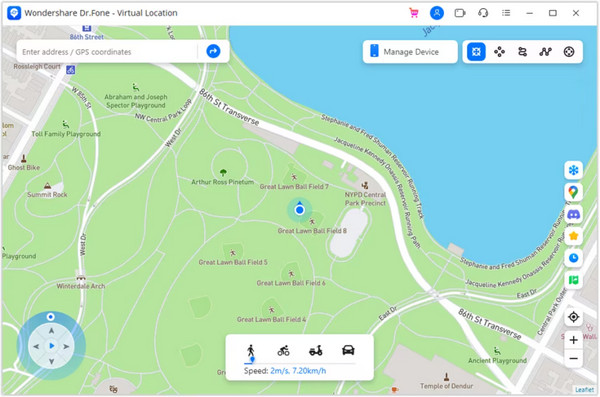
Dr.Fone - Location Changer is a virtual location tool from Wondershare. It is designed to make virtual locations on either an iPhone or Android device. It is not free and costs $4.97 per month.
Pros
- Include a variety of features.
- Work for AR games.
- Deliver reliable performance.
- User friendly
Cons
- You need to purchase the entire toolkit.
- It brings the risk of account ban.
Top 3: iTools Virtual Location
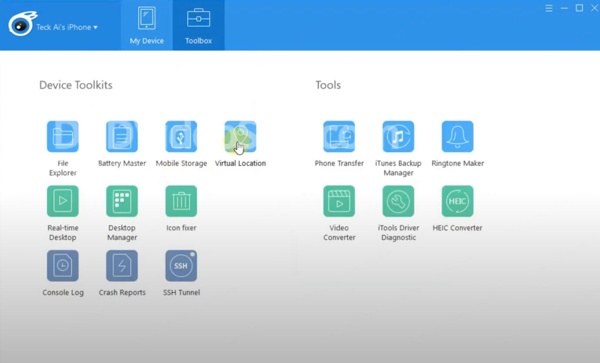
iTools Virtual Location is another virtual location tool to modify the GPS location on an iPhone or iPad. Then, you can use the location-based apps, mobile games, and services. The price starts at $30.95.
Pros
- Offer multiple modes.
- No jailbreak required.
- Include bonus features.
- Work for iOS devices.
Cons
- It is not compatible with Android.
- The price is high.
Top 4: 3uTools
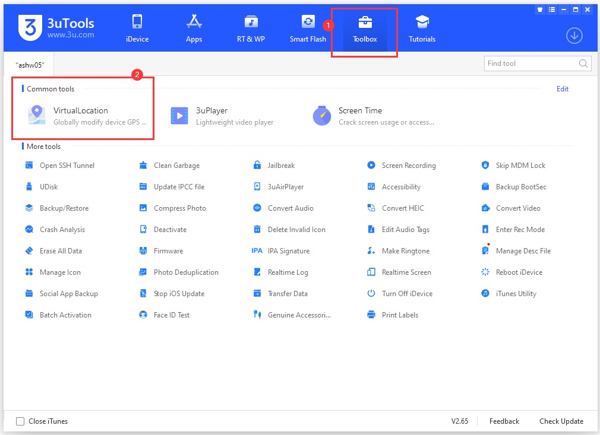
3uTools is a versatile toolkit for iOS devices. While it provides lots of features, it is completely free of charge. In other words, you can make virtual locations on your iPhone and iPad for free.
Pros
- Free to use.
- Versatile and powerful.
- Integrate a clean interface.
- Offer bonus features.
Cons
- It puts your data at risk.
- It requires a PC.
Top 5: iSpoofer Location Spoofer
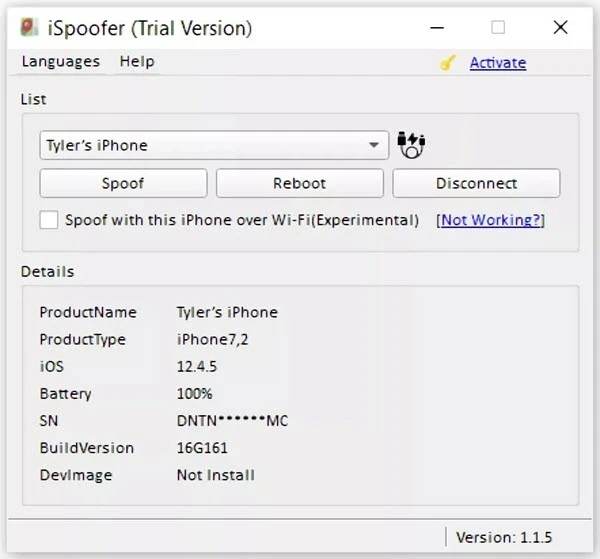
iSpoofer Location Spoofer is another free virtual location tool for iOS devices. While it cannot make virtual routes and doesn't include advanced features, it is a good option for ordinary people.
Pros
- Free of charge.
- Change iOS location.
- Available in multiple languages.
- Easy to use.
Cons
- It doesn't have bonus features.
- It is unavailable for new versions of iOS.
Part 3: How to Use Virtual Location on iPhone and Android
Install virtual location changer
Download and install the best virtual location changer on your computer, such as iLocaGo.
Connect to your phone
Connect your mobile device to your computer with a compatible cable. Then, choose Modify Location to move on. The other three modes, One-stop Mode, Multi-stop Mode, and Joystick Mode, are used to create virtual routes.

Create a virtual location
Input an accurate address into the field. If you don't have an address, click a position on the map. Finally, click the Modify button to confirm it. If you want to stop the virtual location, disconnect your phone.

Conclusion
Now, you should understand what virtual locations are, the best virtual location makers, and how to use virtual locations. You can follow our explanation to get the knowledge about this concept. Whether you want to protect your privacy or switch to another country, you can try the best virtual location changers. iLocaGo, for instance, is able to change your geolocation on either your iPhone or Android device quickly.
Penny is a senior editor from imyPass. She has focused on discovering perfect GPS location solutions in all scenarios, and also has experience in fixing computers.
Hot Solutions
-
GPS Location
- Best Pokemon Go Locations with Coordinates
- Turn Your Location Off on Life360
- How to Change Location on iPhone
- Review of iSpoofer Pokemon Go
- Set Virtual Locations on iPhone and Android
- TikTok Track Your Location
- Monster Hunter Now Joystick
- Review of IP Location Finder
- Change Mobile Legends Location
- Change Location on Tiktok
-
Unlock iOS
-
iOS Tips
-
Unlock Android


