Solution
 Support Center
 About Us
 Contact
Exhaustive phpIPAM Terraform Automation, Installation & Use
 Penny Warren Published on October 21, 2026GPS Location7-min reading
As a network grows, organizing, tracking, and managing IP addresses manually can be difficult. Spreadsheets work well for small organizations, but tracking subnets, VLANs, and network devices can become complicated in a large infrastructure. phpIPAM is an IP address management solution that can centralize this information and make network administration more organized. This review explains what it does, how to install and use it, and ways to update the platform. We'll also cover how Terraform can automate IPAM tasks and several alternatives.

In this article:
Part 1. What is phpIPAM?
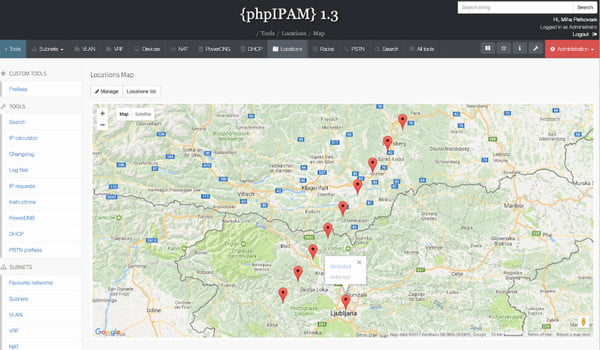
phpIPAM is a free, web-based IP address management (IPAM) project. It tracks, manages, and organizes network infrastructure from a centralized interface. Instead of relying on spreadsheets, administrators can use the service to manage IP addresses, subnets, VLANs, and connected devices.
Features:
- Monitor the allocations of IPv4 and IPv6, subnet ranges, and the status of individual IPs.
- Automatically ping network ranges to check IP status, discover active devices, and reconcile documented records.
- Organize network segments using VLAN and VRF management tools.
- Include an IPv4/IPv6 calculator, PowerDNS integration, NAT support, and a REST API.
- Allow bulk data management through XLS and CSV file imports and exports.
Important Note: The service functions as an IP address tracker. But unlike a basic IP tracker, it tracks IP addresses while also organizing the entire network infrastructure.
Part 2. How to Install phpIPAM: A Complete phpIPAM Tutorial
Method 1: Standard Install on Linux (Ubuntu/Debian/CentOS)
This method covers how to install phpIPAM on Ubuntu Server 26.04 LTS using nginx as a web server. This guide used a fresh Ubuntu Server 26.04 LTS server with no installed packages.
Install all the required apps and services, then configure the php-fpm FastCGI process manager.
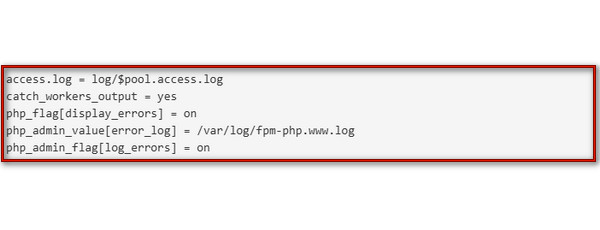
Configure the nginx web server and MySQL/MariaDB database to harden the MariaDB server.
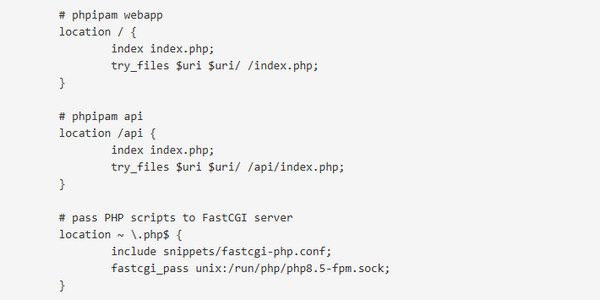
After meeting all prerequisites, install the codebase and create an initial configuration. Then, install the database.
Method 2: phpIPAM Docker Deployment
When installing phpIPAM with Docker containers, the setup requires a web server with PHP. The service needs a scheduling task to scan networks and check device statuses. Most importantly, it requires a database to store all information (MariaDB).
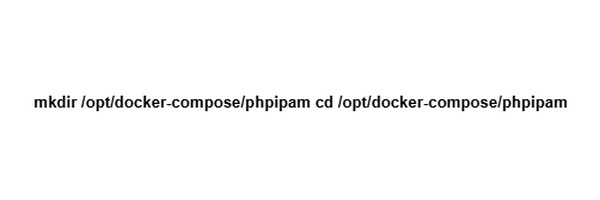
Create a folder to store your configuration files and navigate into it:
Create a file named docker-compose.yml using a text editor and insert:
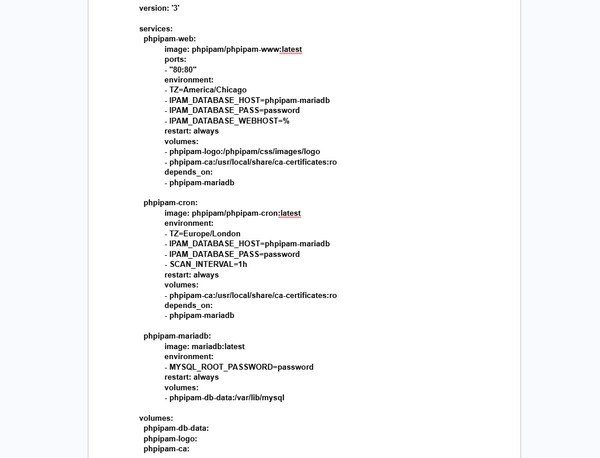
Run the docker compose up -d command to download the images and launch the containers in background mode.
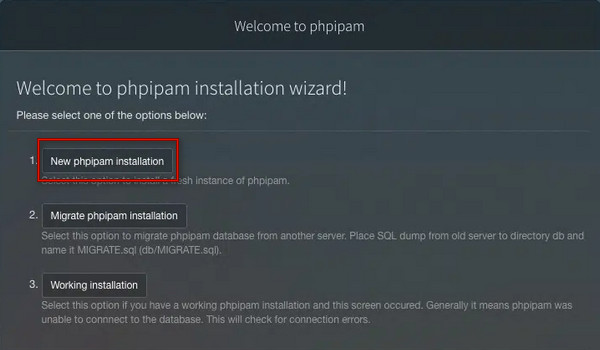
Open a web browser, enter your server's IP address, and click New phpIPAM installation.
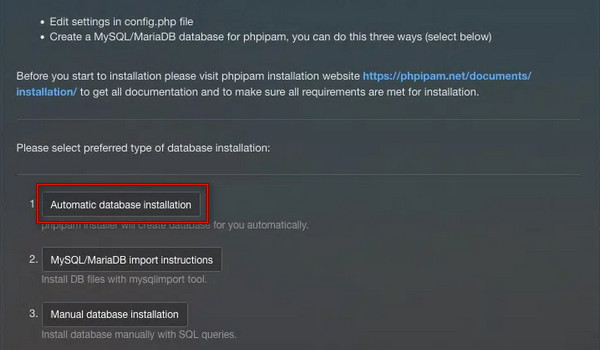
Select Automatic database installation and enter the database credentials.
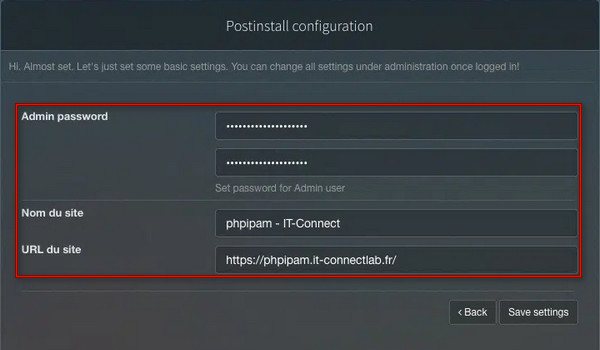
After creating the database, set a new Admin password and site title.
Part 3. How to Use phpIPAM: Step-by-Step Guide
After installation, the next step is to learn how to use phpIPAM. You can start using the service by deploying it through Docker or a web server. Then, run the automated database installation and log in with your admin credentials.
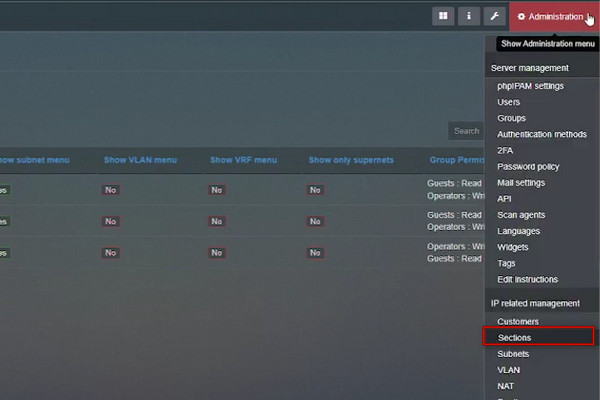
Go to Administration and add a new Section to categorize the network.
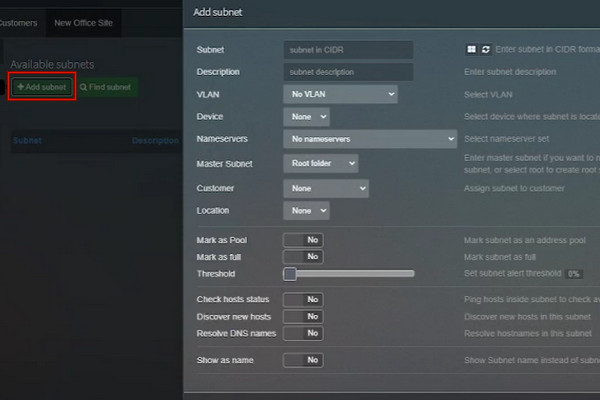
Click Add Subnet to create a Master Subnet to define the primary network range.
Click Add New Nested Subnets to divide your network for specific uses.
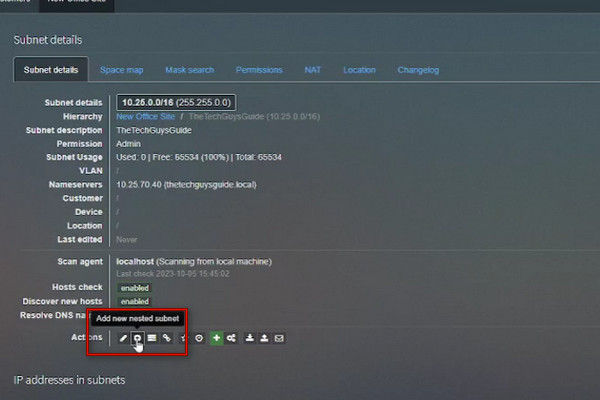
Assign VLANs and configure name servers to keep your IP allocations organized.
Part 4. How to Update phpIPAM
Updating the service requires three important steps: backing up data, updating the application code, and updating the database. It is recommended to back up the SQL database and config.php before starting. Below are the quick steps on how to update phpIPAM:
Beforehand, back up the SQL database and make a safe copy of your existing config.php file.
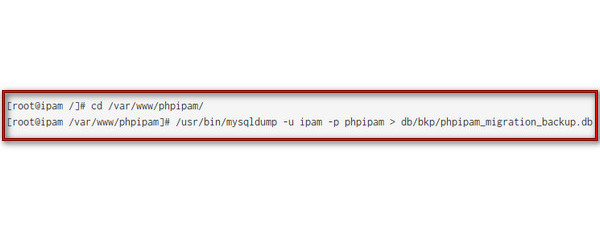
Check your current branch using git branch or choose:
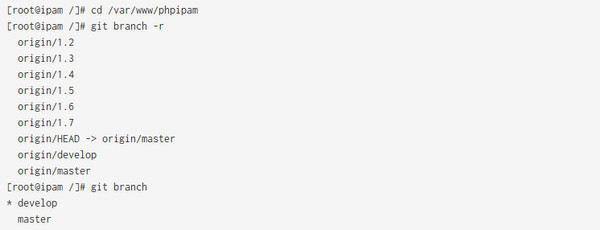
- Git on the master branch: Pull new code and update all submodules.
- Git on a specific branch: Switch to your preferred branch and update all submodules.
- Manual release upgrade: Download the latest release archive from GitHub Releases.
Choose one of the following options to update the service's database:
- Automatic database upgrade: Open a web browser and follow the upgrade procedure.
- Manually query import: View the differential upgrade queries by running php functions/upgrade_queries.php 1.5.
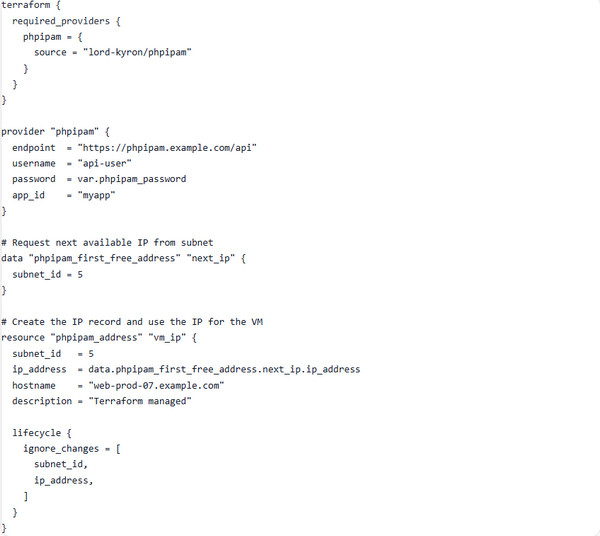
Part 5. phpIPAM Terraform: Automating Infrastructure
The community phpIPAM Terraform Provider enables you to automate IP address allocation and manage network resources as code. You can automate IP allocation, update usage status, and log hostname by integrating the API into your provisioning scripts.
Part 6. phpIPAM Alternatives
1. NetBox
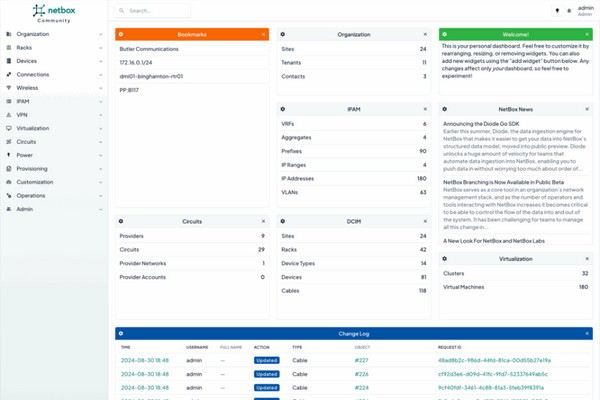
NetBox is an infrastructure resource modeling tool that combines IPAM and DCIM. You can change the IP address by finding an existing IP address record, modifying its attributes, and saving the changes. The service also tracks IPv4/IPv6 prefixes, individual IP addresses, VLANs, and VRFs.
2. Infoblox
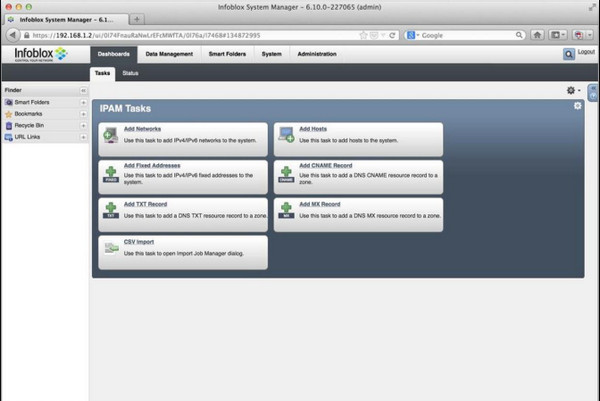
Infoblox provides enterprise network services featuring integrated DNS, DHCP, and IP address management. It is a phpIPAM alternative that automatically scans physical and virtual networks to pull MAC addresses, switch port names, and VM tenant IDs without manual input.
3. SolarWinds IP Address Manager
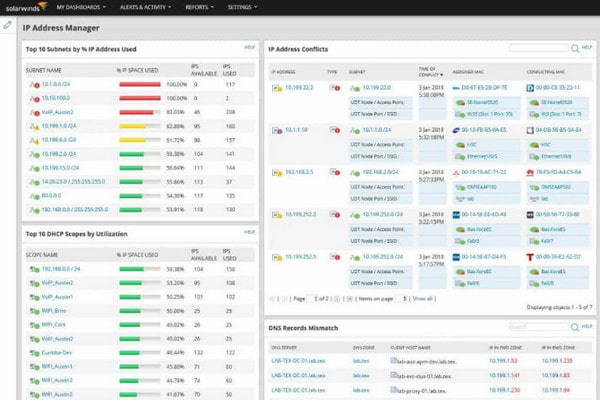
SolarWinds IP Address Manager provides IP tracking, subnet discovery, address conflict detection, and DNS/DHCP management features. It can bring information from supported network services into a centralized interface.
4. GestioIP
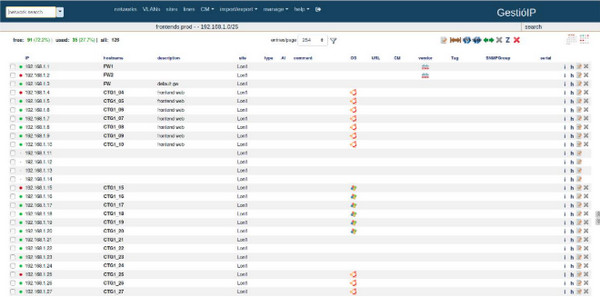
GestioIP is a web-based IP address management application that can organize and manage the network address space. It eliminates manual spreadsheets, replacing them with automated network discovery and status tracking. It also helps you plan subnets and manage VLAN assignments.
Bonus: Useful Tools for Network Admins
Network administrators need more than an IP address management platform like phpIPAM. Depending on the task, additional utilities can help with network testing, troubleshooting, device management, and location-based testing.
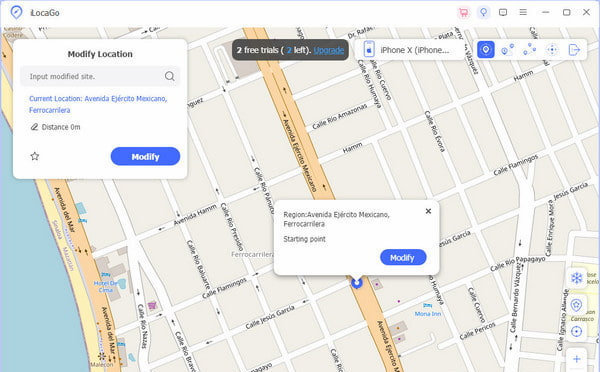
imyPass iLocaGo is a location changer utility that can modify the GPS location. The software does not manage IP addresses, subnets, or network resources. Instead, you can use it as a complementary utility when testing apps or services that depend on a device's geographic location. With it, you can simulate different locations when checking location-based apps. It can fake a GPS location from map apps, LBS games, dating apps, and social media apps. iLocaGo can also plan routes or simulate movement between locations using One-stop Mode, Multi-stop Mode, and Joystick Mode.
Conclusion
phpIPAM helps network administrators ease IP address management. It provides a centralized way to organize IP addresses, subnets, VLANs, devices, and network resources. Beyond IP address management, network administrators may also need utilities for location-based testing and device management. imyPass iLocaGo can complement a network administration toolkit by changing or simulating a device's GPS location.
Penny focuses on GPS troubleshooting and Windows optimization. She formerly worked as a technical support engineer, helping clients solve location-based and system issues efficiently. Backed by IT support experience, she provides practical solutions that really work. In her free time, she likes hiking and geocaching, testing GPS tech in the real world.
Hot Solutions
-
GPS Location
-
Unlock iOS
-
iOS Tips
-
Unlock Android