



 Solution
 Support Center
 About Us
 Contact
Top Fake GPS Location App Picks for Android and iOS Users
 Penny Warren Published on January 16, 2026GPS Location3-min reading
In a world where more and more apps rely on real-time location, real-time location can sometimes be a limitation. The fake GPS app turned out to be an efficient and low-barrier solution. However, different applications differ significantly in compatibility, security and cost of use. Choosing the wrong one can easy to waste time and even affect your account. This article will focus on real-world usage scenarios to help you quickly determine which tools are best for your needs.

In this article:
Part 1. What Is a Fake GPS App
Fake GPS App is a tool that allows systems and apps to read "fake locations" by simulating virtual coordinates, without the need for the device to actually move. Compared with complex system modification methods, such applications are easier to use and more suitable for ordinary users.
In terms of functions, mainstream fake GPS location apps are no longer limited to single-point positioning, but gradually add functions such as route simulation, speed adjustment and multi-point jump, making virtual movement more natural and closer to real behavior. These capabilities not only improve usability but also directly affect application compatibility and account security.
It should be noted that different tools differ significantly in implementation methods and risk control. Understanding the core differences in advance helps to screen the right tools later quickly.
| App | Platform Support | Jalibreak Required | Route Simulation | Speed Control | Joystick Control | Multi-Spot Jump | Game Compatibility | Risk | Pricing | Ease of Use |
| imyPass iLocaGo | iOS / Android | No | Yes | Yes | Yes | Yes | High | Low | Free | Very Easy |
| Dr.Fone | iOS / Android | No | Yes | Yes | No | Yes | Medium | Medium | Paid | Easy |
| Fake GPS Joystick | Android | No | Yes | Yes | Yes | No | Medium | Medium | Free | Moderate |
| GPS Emulator | Android | No | No | No | No | No | Low | Medium-High | Free | Moderate |
| Location Changer | iOS / Android | Depends on Version | Yes | Yes | No | Yes | Medium | Medium | Paid | Moderate |
Part 2. Top Fake GPS App for All Devices
In cross-device scenarios, imyPass iLocaGo is the best fake GPS app. It is more of a virtual positioning tool for system-level simulation. It is suitable for iOS and Android users and can achieve stable location modification without jailbreaking or Root. It uses desktop tools to control location, with lower overall risk and greater compatibility than a phone-only app.

4,000,000+ Downloads
Supports iOS and Android, multi-device adaptation, and more flexible use scenarios.
Modifies the system location without jailbreaking or Root for higher security.
Provides multiple movement modes, and position changes are more natural and less detectable.
Intuitive operation interface, even beginners can get started quickly.
Connect your phone to your computer with a data cable and complete device authorization as prompted. After starting the program, the device type currently in use is automatically displayed.
After entering the main screen, select Modify Location mode. You can also choose more modes to enhance credibility, such as One-stop Mode, Multi-stop Mode, or Joystick Mode.

Enter the target location on the map or directly click the selection point. After confirmation, it can be synchronized to the phone. If you want to simulate movement, you can set the walking speed and route, and the system will automatically run according to the settings.

Overall, imyPass iLocaGo is more suitable for users who want to stably modify location on different devices and applications, especially in scenarios with high security and controllability requirements.
Part 3. Best Fake GPS Apps for Android or iOS
Compared with system-level solutions, there are some tools with better overall performance, and this kind of fake GPS location app emphasizes out-of-the-box. They mostly come in the form of apps or lightweight desktop tools for users who want ease of use but less long-term stability.
Dr.Fone
• Brief Overview
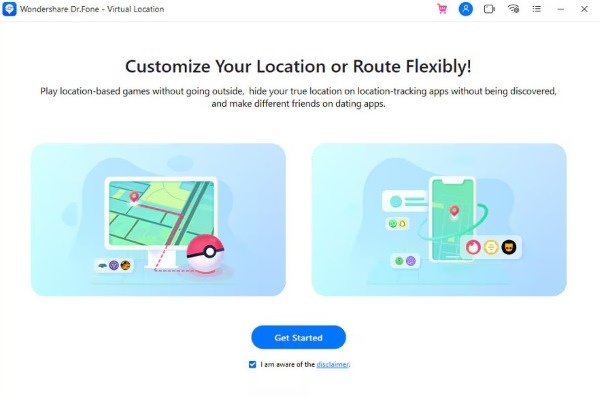
Dr.Fone Virtual Location is a module within the Wondershare suite that requires connecting your phone to a computer to change the location. It is not an independent mobile app, but rather a desktop-based virtual fake GPS location app, primarily designed for the needs of Pokemon GO cheats.
Features
- Select a location on the map or modify the location by entering coordinates
- Provides basic route simulation and speed settings
- Common locations can be saved for easy reuse
Pros
- Cross-platform support, compatible with a wide range of devices
- Does not require deep modifications to the phone's system
Cons
- Updates for compatibility with new system versions are slow
- Stability is average, not suitable for high-security applications or long-term use
Fake GPS Joystick
• Brief Overview
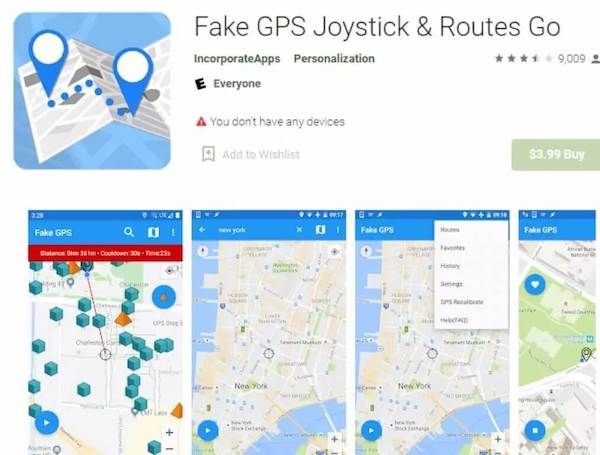
Fake GPS Joystick is a typical fake GPS location app for Android that emphasizes real-time control and manually simulates the movement path through the joystick. It is often used in scenarios that require dynamic displacement.
Features
- On-screen joystick controls movement direction
- Rely on Android's Emulated Location permissions
- Works with some third-party apps
Pros
- High degree of control, freedom and clear real-time feedback
- Good compatibility with some mobile track-based applications
Cons
- Android only
- Stability is limited by system version and vendor
- The setup steps are relatively complex and error-prone for newcomers
GPS Emulator
• Brief Overview
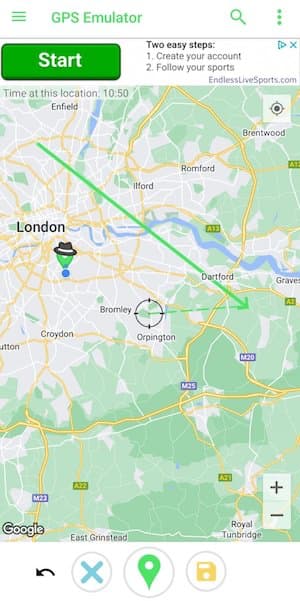
GPS Emulator is a more basic tool. Its core function is to modify a single anchor point quickly, and it does not attempt to simulate the real movement process. Therefore, it is suitable for very simple use requirements.
Features
- Single point location simulation
- Simple operation process
- No route or dynamic movement capabilities
Pros
- Completely free with no barriers to use
- Small size and low requirements on equipment performance
- Suitable for temporary or testing purposes
Cons
- Very limited functionality
- Route, speed, or multi-point jumps are not supported
- Poor compatibility with modern apps and games
Location Changer
• Brief Overview
Location Changer features a wide range and supports a variety of location modification methods. However, different versions differ greatly in permission requirements and usage methods, and are more advanced users overall.

Features
- Provides route simulation and multi-point jumps
- Some functions require desktop support
Pros
- Relatively comprehensive features that can cover a variety of scenarios
- Suitable for users with clear usage goals
Cons
- Confusing versions and high user selection costs
- It is difficult for beginners to get started
- Stability and risk control are version-specific, with low versions being easily detected by IP address trackers.
Conclusion
In general, different types of fake GPS location apps differ significantly in function orientation and use risk, and stability and device compatibility should be prioritized in selection rather than a single number of functions. Compared with pure mobile tools, imyPass iLocaGo has more advantages in cross-platform support, operation controllability and security, making it more suitable for users who want to modify their location in a long-term and stable way.
Penny is a senior editor from imyPass. She has focused on discovering perfect GPS location solutions in all scenarios, and also has experience in fixing computers.
Hot Solutions
-
GPS Location
- Best Pokemon Go Locations with Coordinates
- Turn Your Location Off on Life360
- How to Change Location on iPhone
- Review of iSpoofer Pokemon Go
- Set Virtual Locations on iPhone and Android
- TikTok Track Your Location
- Monster Hunter Now Joystick
- Review of IP Location Finder
- Change Mobile Legends Location
- Change Location on Tiktok
-
Unlock iOS
-
iOS Tips
-
Unlock Android


