Solution
 Support Center
 About Us
 Contact
6 Best Google Location Changer Apps and Extensions
 Penny Warren Published on May 29, 2026GPS Location3-min reading
You are probably aware that Google keeps tabs on what you are up to on its apps, services, and search engine, but you might not realize how far its tracking reach extends, like the locations you have visited, what you purchased, and much more. According to Google, its mission is to organize the world’s information and make it universally accessible and useful. Location information plays an important role in that mission. This article identifies the top 6 google location changers.

In this article:
Part 1. What Is a Google Location Changer
A Google location changer is an app, extension, or service to hide your current location and replace it with a different location as if you were somewhere else. In short, it is a tool to prevent Google from tracking your geolocation.
4,000,000+ Downloads
Connect your iPhone to your computer to mock a location.
Let you create a virtual location or make a fake route.
Offer a joystick mode to let you easily control movements.
Work for the latest iPhone devices and iOS versions.
Part 2. Comparison of Google Location Changers
Methodology
We tested the popular apps, websites, and extensions that are able to change Google location on your computer or mobile device. When researching the best Google location changers, we concentrate on a few factors, like the way it changes location, requirements, costs, security, and more.
| Support devices | Best for | |
| imyPass iPassGo | iPhone, iPad, and Android | Google location changing on mobile device |
| GS Location Changer | Desktop Google Chrome | Change location by latitude and longitude |
| Google Search Location Changer | Desktop Google Chrome | Change location by city |
| Location Guard (V3) | Desktop Google Chrome | Change location and protect privacy |
| Search Location Changer | Desktop Google Chrome | Change location quickly |
| SE Ranking Location Changer | Website | Change Google location without installing anything |
Part 3. Top 6 Google Location Changers
Top 1: imyPass iLocaGo
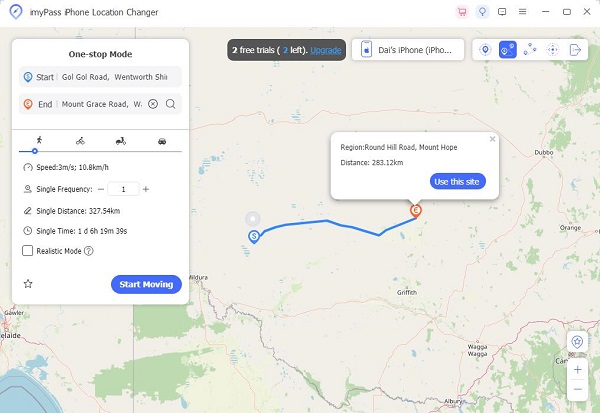
imyPass iLocaGo is a powerful Google location changer app for iOS and Android devices. It can change geolocation and GPS information on mobile devices without technical skills. It works for Google and other apps.
Pros
- Change location on mobile devices.
- Safe and easy to use.
- Work for Google, WhatsApp, Facebook, etc.
- Won’t install anything on your phone.
- Support almost all iPhones and Android devices.
Cons
- It requires a computer and a cable.
Here are the steps to change the location for Google on your iPhone:
Connect to your device
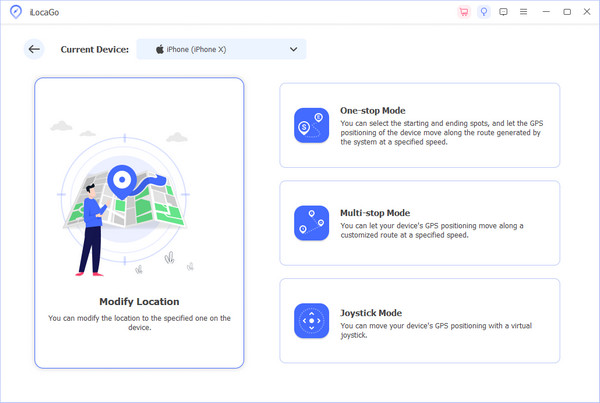
Start the Google location changer once you install it on your PC. There is another version for Mac users. Connect your iPhone to your PC with a Lightning cable. If you are using an Android phone, you can also connect the two devices with Wi-Fi.
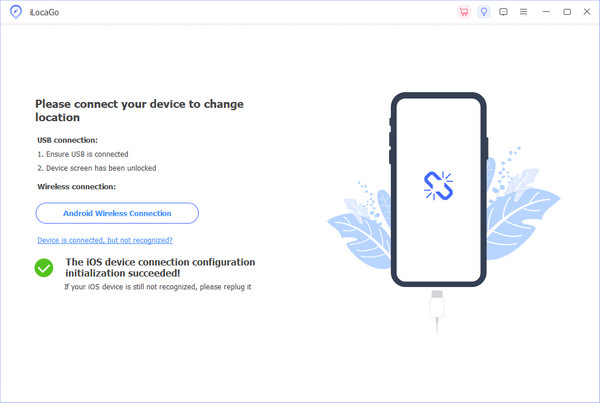
Choose a mode
After your iPhone is detected, you will be presented with the mode window. If you want to change the Google search location, choose the Modify Location mode. The other three modes are used to create virtual routes.
Change Google location
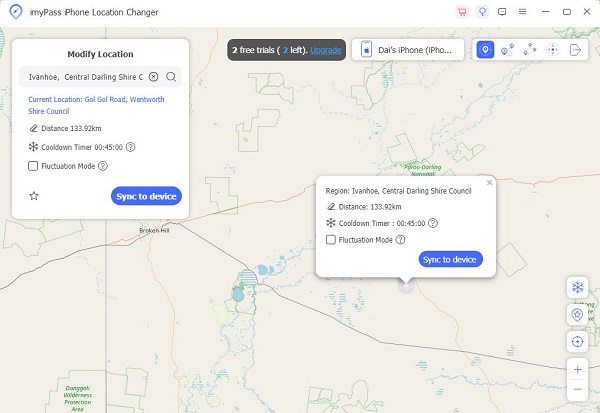
Input an accurate address into the field. If you don’t have an address, click the right position on the map. Next, click the Modify button to confirm it. Now, turn to your iPhone and search for something on Google.
Top 2: GS Location Changer
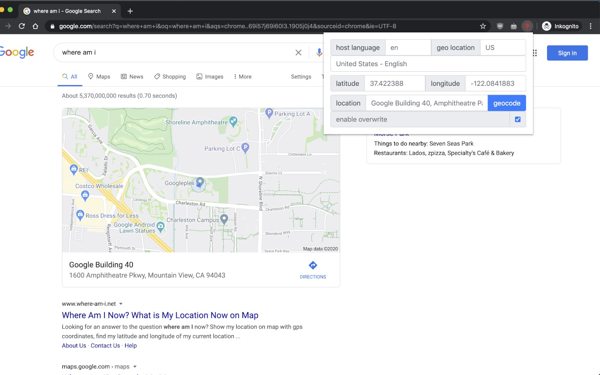
GS Location Changer is a SERP location changer extension for browsers. After you install it on your Chrome, you can change a location without a VPN. It provides a few custom options for spoofing location.
Pros
- Change location with latitude and longitude.
- Set accurate addresses for a fake location.
- Modify both locations and languages.
- Won’t collect your data and information.
Cons
- It is only available in English.
- It only works in Google Chrome.
Top 3: Google Search Location Changer
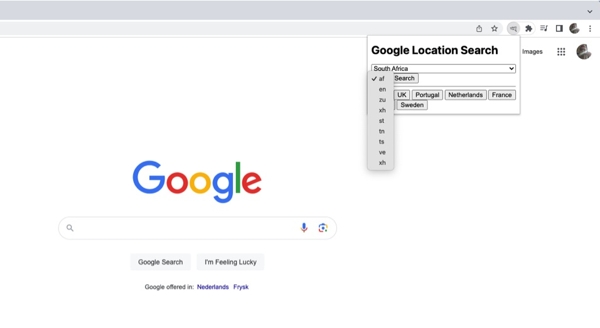
As its name indicates, Google Search Location Changer is a location changer extension. It allows you to search Google by specific locations and languages without moving one step. It is widely used among SEO professionals, digital marketers, and more.
Pros
- Change Google location instantly.
- Select preferred languages.
- Jump to popular locations, like the US, UK, and more.
- Integrate the intuitive design
Cons
- It doesn’t support latitude and longitude.
- It cannot set accurate addresses.
Top 4: Location Guard (V3)
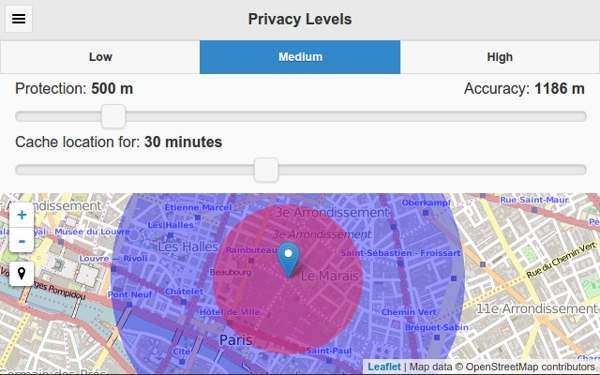
Location Guard (V3) is a GS location changer extension to hide your geolocation from Google and other websites. This extension enables you to enjoy geolocation services, like Google, while protecting your privacy.
Pros
- Open source and free to use.
- Set privacy levels manually.
- Offer custom options, like accuracy adjustment.
- Select fake locations on a map quickly.
Cons
- It can only protect JavaScript-based geolocation.
- The setup is a little complicated.
Extended Reading:
Top 5: Search Location Changer
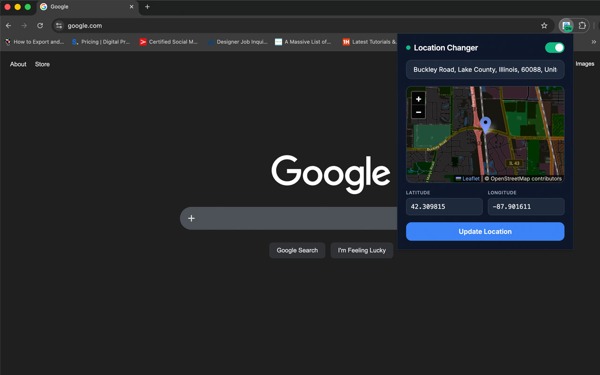
Search Location Changer is able to change the Google search location and override HTML5 geolocation quickly. It lets users lock to any coordinates worldwide. While it is designed for developers, everyone can use it for free.
Pros
- Integrate an interactive map.
- Intercept Google Search requests dynamically.
- Automatically reload active Google Search tabs.
- Powered by free and public mapping endpoints.
Cons
- It lacks custom options.
- It cannot change languages.
Top 6: SE Ranking Location Changer
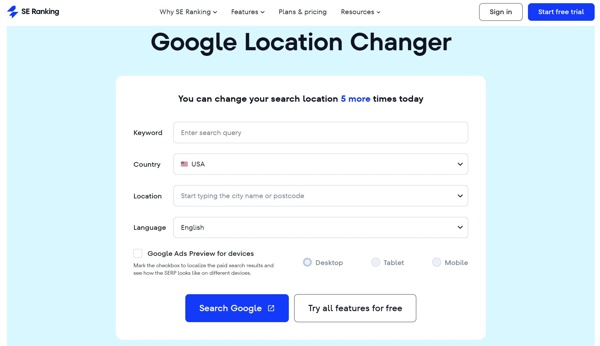
SE Ranking Location Changer is a Google location changer website. It allows you to change your search location 5 times per day for free. You can enter a search query, set the country and location, change the language, and use Google Search without installing extensions or software.
Pros
- Change Google Search location for free.
- Modify location and language easily.
- Select Google Ads preview for devices.
- Analyze SERPs with different metrics.
Cons
- The free version only allows you to change location up to 5 times.
- The prices start at $103 per month and are high.
Conclusion
This article shared 6 GS location changer applications, extensions, and websites. Most of them are free to use or try. Of course, you can get the advanced features from premium candidates. Anyway, they can help you hide your geolocation and protect your privacy while using Google Search. You can pick an appropriate one based on our review and your situation. imyPass iLocaGo is a good option if you wish to change the Google Search location on your iPhone or Android device without technical skills.
Penny focuses on GPS troubleshooting and Windows optimization. She formerly worked as a technical support engineer, helping clients solve location-based and system issues efficiently. Backed by IT support experience, she provides practical solutions that really work. In her free time, she likes hiking and geocaching, testing GPS tech in the real world.
Hot Solutions
-
GPS Location
-
Unlock iOS
-
iOS Tips
-
Unlock Android