Solution
 Support Center
 About Us
 Contact
5 Best Password Managers for iPhone - Full Review & Comparison
 Samuel Spenser Published on January 16, 2026Password Tips3-min reading
Strong passwords are hard to keep in mind. An iPhone password manager can store them and make new ones. Some work on many devices, but the top apps are designed for iPhone. They save time and protect your accounts. Here, we review the best iPhone password managers and show which features matter most.

In this article:
Part 1. How Do We Pick the Best iPhone Password Manager
Finding the best password manager for iPhone means looking at features that protect your accounts and make life easier. A good password manager iPhone app should do more than store passwords. Here are the key things we check:
1. Security
A strong iPhone password manager should protect your data with high-level encryption and offer extra measures like two-factor authentication.
2. Password Creation and Storage
Powerful password management software is able to generate new passwords and archive them. Such additional options as notes and secure files are a plus.
3. Autofill and Browser Support
The application must automatically enter passwords in the apps and sites. We test it to work with Safari and other commonly used browsers.
4. Ease of Use
The best password manager for iPhone is simple to set up and easy to navigate. Quick access and a clean interface make managing passwords stress-free.
5. Value for Money
Free or paid, the app should give good security and useful features without costing too much.
6. Support and Updates
The best apps get regular updates and offer help if something goes wrong.
7. Sync Across Devices
Any reliable password manager iPhone app should keep your passwords synced across your iPhone, iPad, and computers so that you can log in anywhere.
Part 2. Best 5 iPhone Password Managers
Managing passwords on your iPhone can be tricky, especially when you have multiple accounts across apps, websites, and system logins. To make things easier, we have tested several top password managers to find tools that combine security, convenience, and reliability. Here are the five best options for iPhone users, starting with our top recommendation.
1. imypass iPhone Password Manager [Best Choice]
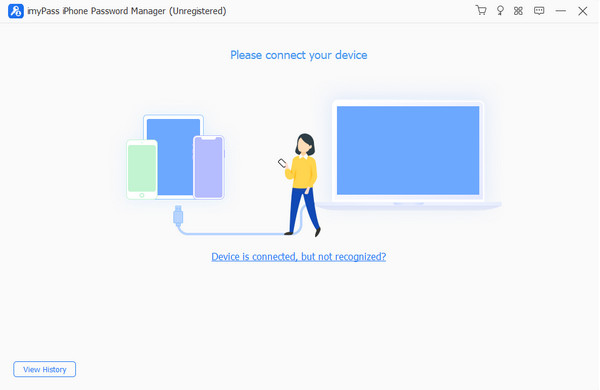
If you need fast access to all your saved passwords, imyPass iPhone Password Manager is a reliable free password manager for iPhone users. It helps you view, manage, export, and share passwords saved on your iPhone, including Apple ID, email, Wi-Fi, apps, and browser logins. It works with the latest iOS 27, iPadOS 27 , and iPhone 18 series. You can back up and export all passwords to a CSV file safely, without jailbreaking your device.
Pros
- Recover Apple ID, email, Wi-Fi, app, and browser passwords easily
- Export all passwords at once to a CSV file for backup or sharing
- Works with the latest iOS versions and iPhone models
- Simple interface with scanning history for past passwords
Cons
- Needs to connect your iPhone to a computer
- Dedicated to recovery/export, rather than full-time vault management
- Certain complex features are paid for with a license
Verdict: imyPass is the top choice for iPhone users who want fast and secure password recovery. Its ability to view, manage, and export all saved credentials makes it ideal for backup or migration. The simple setup and compatibility with new iPhones make it easy to use for anyone.
2. Bitwarden
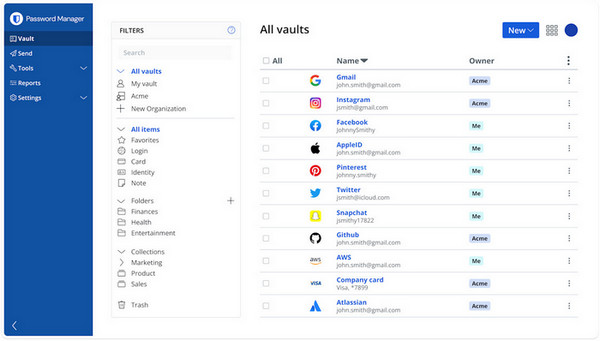
Bitwarden is an open-source vault that combines security and simplicity, making it one of the iPhone best free password manager apps available. It provides AES-256 encryption, a zero-knowledge model, and password parking without any limits on devices with syncing, which are essential to users who seek powerful encryption but do not want to spend money on a subscription.
Pros
- The free plan allows unlimited passwords and syncing across devices.
- Open-source and regularly audited.
- Works on iOS, Android, Windows, macOS, and browsers.
Cons
- Functional but simple interface.
- Some advanced features require a paid upgrade.
Verdict: Bitwarden is a great option if one wishes to use a secure, inexpensive vault management, but would consider transparency and open-source as important factors.
3. Nordpass
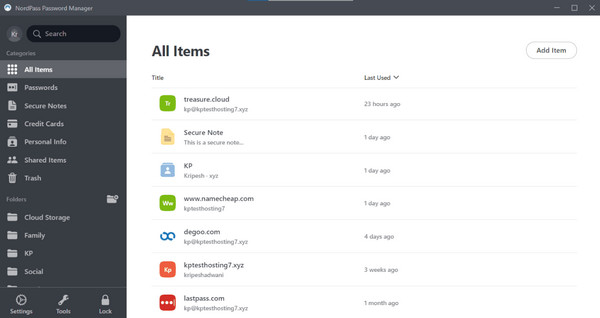
NordPass makes password management easy with autofill and iOS integration, which is why it is a trusted password manager that Safari iPhone users can rely on. It also has Face ID, high-level encryption, and syncing, which is easy and does not compromise security.
Pros
- Powerful encryption and the zero-knowledge model.
- Auto fill iOS and Safari.
- Clean and simple interface.
Cons
- Free plan limits multi-device support.
- Fewer advanced features than some premium alternatives.
Verdict: NordPass is ideal for iPhone users who want secure, simple password management integrated directly with Safari.
4. Keeper
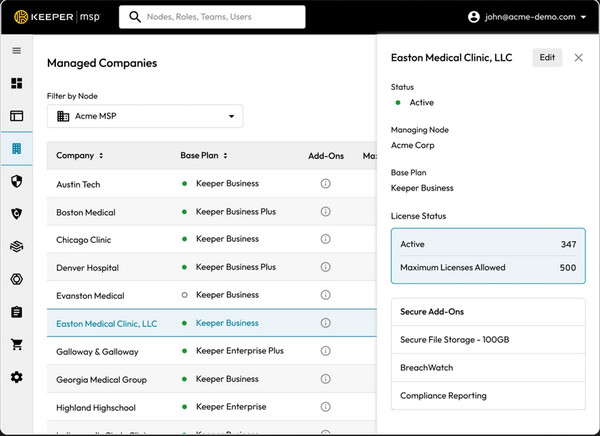
Keeper delivers advanced features and strong security, earning it a spot as the best password manager app for iPhone for users who need more than a basic vault. It has AES-256 encryption, encrypted file storage, biometric log-in and encrypted sharing of sensitive data.
Pros
- Strong encryption and non-coding security.
- Vault encryption, file storage, and file sharing.
- Cross-device support.
Cons
- The free plan is very limited.
- Paid add-ons may increase overall cost.
- Interface can feel complex for casual users.
Verdict: Keeper is best for users needing full-featured security and extra data protection, but it may be too advanced for casual users.
5. Dashlane
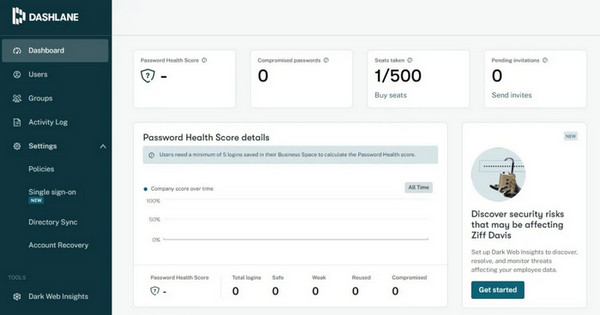
Dashlane is a convenient iPhone Safari password manager that is secure. It has auto-fill features, breach notices, password scans, and cross-device sync, which enable users to remain safe without wasting much time managing logins.
Pros
- AES-256 ciphertext and 2-factor authentication.
- Helpful extensions: password health, breach alerts, and autofill.
- User-friendly interface and support of various devices.
Cons
- The free version is restricted; the premium is expensive.
- Not so flexible to advanced file storage and enterprise requirements.
Verdict: Dashlane is a balanced choice for users seeking security and convenience, especially for iPhone and Safari users.
These five password managers have different needs, including simple password recovery and comprehensive vaults. We will then dissect them into a comparison chart where you can simply look at the features of each tool and easily determine which of the tools best suits your iPhone usage style, security requirements and budget.
Part 3. Comparison of the Top 5 iPhone Password Managers
Choosing the right password manager for your iPhone is easier when you can see all the key details at a glance. The chart below compares features, platform support, pricing, security, and usability so you can pick the tool that fits your needs best.
| Features | imypass iPhone Password Manager | Bitwarden | Nordpass | Keeper | Dahslane |
| Ease of Use | Easiest | Easy | Easy | Moderate | Easy |
| Best For | Quick password recovery & export | Budget-friendly, secure vault | Safari & iOS autofill | Full-featured security | Convenience + security extras |
| Platform Supported | iPhone and iPad (requires PC/Mac to use) | iOS, Android, Windows, macOS, Linux, Browsers | iOS, Android, Windows, macOS, Linux, Browsers | iOS, Android, Windows, macOS, Linux, Browsers | iOS, Android, Windows, macOS, Linux, Browsers |
| Security and Encryption | AES-based encryption for exported passwords | AES-256, zero-knowledge, open-source | XChaCha20 encryption, zero-knowledge | AES-256, zero-knowledge, biometric login | AES-256, zero-knowledge, two-factor auth |
| Pricing Plan | 1 Month $14.96, Lifetime $39.96 | Premium $0.99/mo ($10/yr), Families $3.33/mo (up to 6 users) | Premium $0.99/mo (first 27 months), Family $1.89/mo (up to 6 users) | Personal $3.33/mo ($39.99/yr), Family $7.08/mo ($84.99/yr) | Premium $2.00/mo ($23.88/yr), Friends & Family $3.00/mo per member (10 users) |
Conclusion
Keep your iPhone password safe via a password manager on iPhone. With these selections, you have different options to choose from. If you have forgotten to use a password manager to keep your passwords, then we suggest that you retrieve them with the help of the imyPass solution in here.
Samuel specializes in password security and digital privacy. He used to work as a cybersecurity consultant for small businesses to protect digital assets. With certifications in Cybersecurity and Ethical Hacking, he turns complex security topics into easy-to-follow advice. He also enjoys sharing password tips to help users protect their accounts more confidently.
Hot Solutions
-
Password Tips
- 4 Best Instagram Password Finders
- How to See Your Instagram Password
- How to Unlock Your Snapchat Account
- How to Reset Forgetten Twitter Password
- How to View Saved Passwords in Chrome
- What to Do When I Forgot My Apple ID Password
- How to Reset Your Snapchat Password
- How to Reset Forgotten Discord Password
-
Unlock iOS
-
Unlock Android
-
Windows Password