



 Solution
 Support Center
 About Us
 Contact
How to Unlock a Carrier Locked iPhone Without Data Loss
 Samuel Spenser Published on October 14, 2026Unlock iOS3-min reading
What is a carrier-unlocked iPhone? It is an iOS device that can use and read a SIM card from any compatible carrier. When you buy a new iPhone from a carrier store or add a SIM card, your device is likely locked to that carrier. Before you complete the contract, you cannot switch to other network providers. This tutorial shares proven ways to remove the carrier lock from your phone.

In this article:
Part 1: How to Unlock an iPhone from a Carrier
In fact, most carriers allow users to unlock their iPhones once they can meet the device unlocking policy. These carriers provide multiple channels to submit requests to unlock a carrier-locked iOS device.
Pros
- Unlock a carrier-locked iPhone quickly.
- Submit a request on a few platforms.
- Safe and secure.
- Completely free.
Cons
- You must meet all items of the device unlocking policy.
- You must fully pay your bill.
General iPhone Unlocking Policy
- Your iPhone must be active or purchased for a period, such as 60 days.
- Your device has been involved in loss, theft, or fraud.
- Your carrier account is in good standing.
- You have fully paid your bill or contract.
Option 1: Unlock an iPhone from the carrier via Phone Call
One easy way to unlock an iPhone from any carrier for free is to call your carrier's customer support. You need to offer the necessary information, like your phone number, IMEI number, purchase proof, and more. Once your carrier verifies your request, it will unlock your device.
- Verizon: 800-922-0204 between 8 a.m. and 7 p.m.
- T-Mobile: 800-937-8997
- AT&T: 800-288-2020
- Mint Mobile: 800-683-7392
Option 2: Unlock an iPhone from a Carrier on the Web Portal
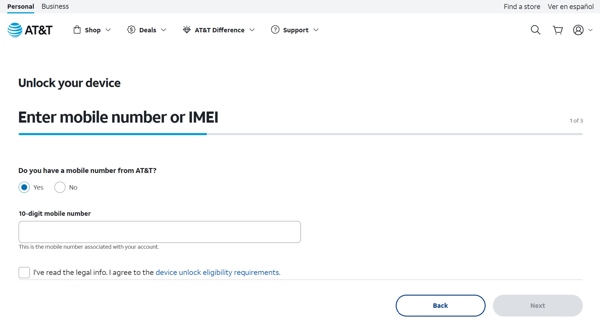
Some carriers provide a web portal to unlock a carrier-locked phone. AT&T, for example, lets users unlock their devices on https://www.att.com/deviceunlock/unlockstep1 in a web browser. You need to provide your phone number, IMEI number, email address, and other information following the on-screen prompts.
Option 3: Unlock a Phone from a Carrier in the App
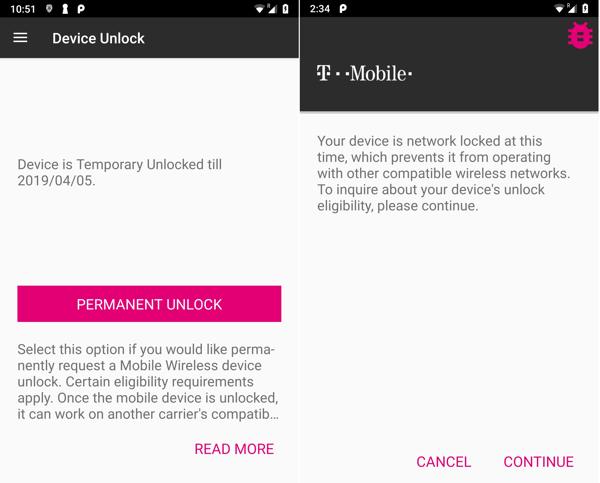
On some older phones, there is a Device Unlock app preinstalled. You can permanently unlock the carrier lock in the app. Alternatively, you can download the Device Unlock app from your carrier, such as the T-Mobile Device Unlock app, from the Play Store, and get rid of the carrier lock quickly.
Part 2: How to Unlock a Carrier-Locked iPhone with a Third-party Service
If you cannot meet the device unlocking policy of your carrier, you have to unlock your iPhone from any carrier with a third-party SIM unlocker. While there are a lot of unlocking services, you need to look for a reputable one.
Pros
- Unlock a carrier-locked iPhone online.
- Work for a wide range of devices.
- No requirements for device unlocking policy.
Cons
- Not free.
- Some services have extra fees.
- The success rate is low.
Visit a device unlocking service in a web browser, such as DoctorSIM.
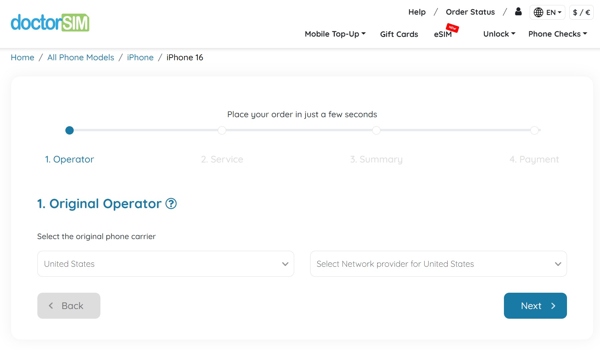
Go to the Unlock menu and choose your phone brand.
Select your phone model to start the process.
Choose your phone carrier and network provider.
Turn on your iPhone and find the IMEI number:
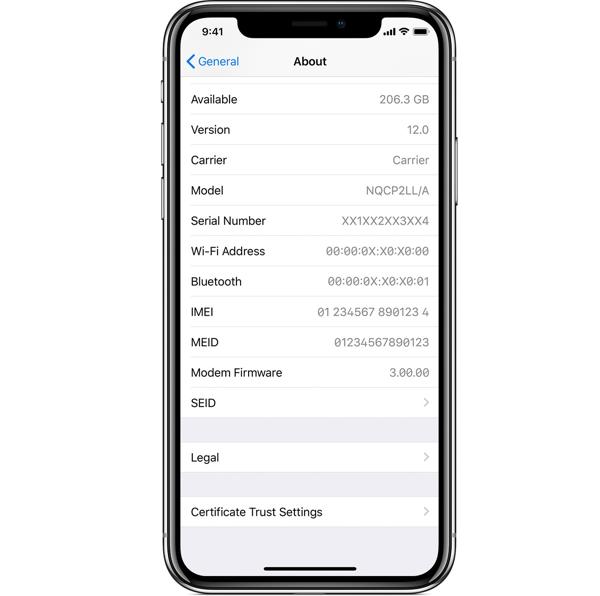
Option 1: Go to Settings, General, and About. Find the number next to the IMEI label.
Option 2: Run the Phone app, dial *#06#, and tap the Call button to show the IMEI number.
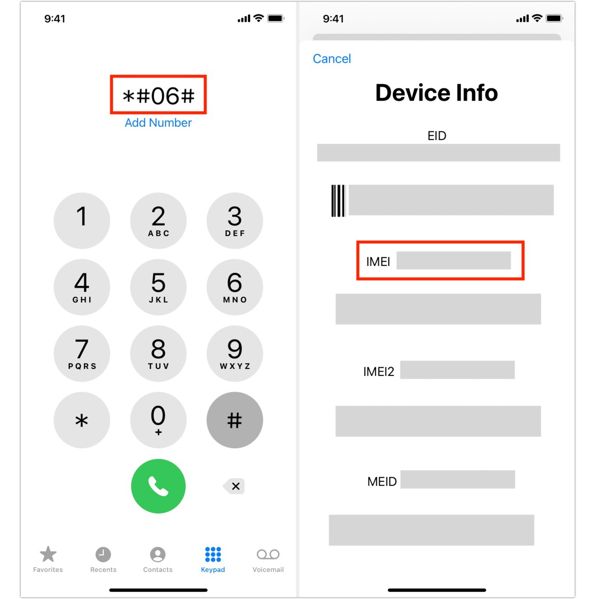
Type in the IMEI number and your email address.
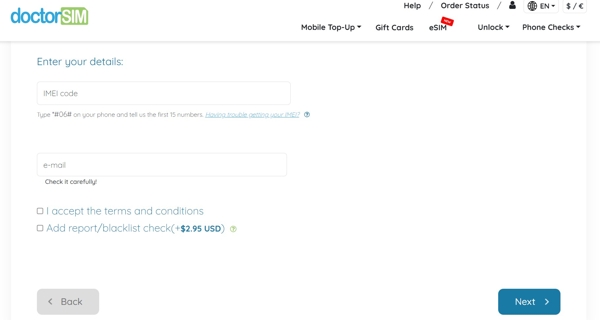
Accept the terms and conditions, and click Next.
Pay the bill and confirm your request.
Once the service unlocks your iPhone from the carrier, it will send an email.
Open the message and follow the instructions to unlock the SIM on your iPhone.
Finally, check if your iPhone is unlocked from the carrier using another SIM card.
Part 3: How to Unlock iPhone for Any Carrier on Your Own
Can an unlocked iPhone be used with any carrier? No. After unlocking your iPhone from a carrier, you can use SIM cards from compatible carriers. If a specific carrier is not supported, your iPhone won’t detect the SIM card. imyPass iPassGo is a great option to unlock your iPhone for any compatible carrier offline. Compared to online unlock services, it is more stable and reliable. Moreover, the process doesn’t require a password.

4,000,000+ Downloads
Unlock an iPhone from a carrier in three steps.
Keep your data during the process.
Include bonus features, like removing Apple ID from iPad or iPhone.
Compatible with a wide range of iPhones.
How to Unlock Your Device for Any Compatible Carrier
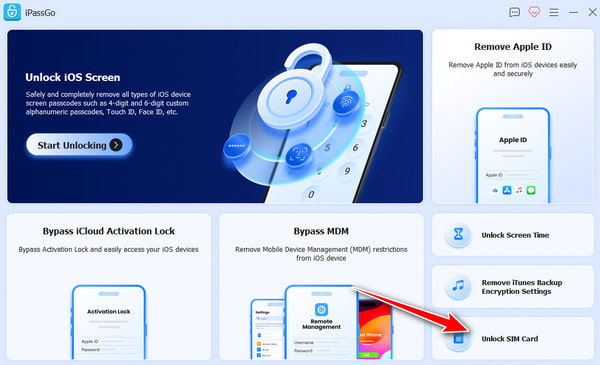
Install carrier unlocking software
Run the carrier unlocking software once you install it on your PC. There is another version for Mac OS X 10.12 and above. Choose the Unlock SIM Card mode to continue.
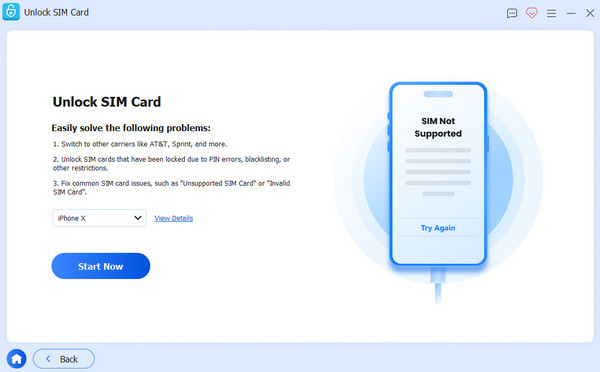
Recognize your iPhone
Link your iPhone to your PC with a Lightning cable. If you link the two devices for the first time, make sure to trust this PC. Then, the software will recognize your iPhone immediately. Read the notification and click the Start Now button if you are sure.
Unlock carrier-locked iPhone
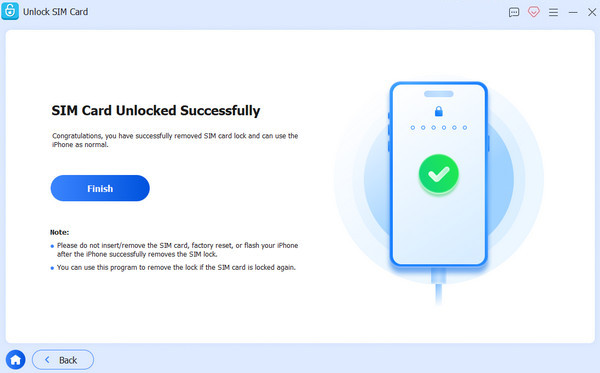
Next, check your device information and click the Start Bypassing button. Jailbreak your device, and then set up your iPhone following the on-screen tutorial. Finally, click on the OK button to begin unlocking your carrier-locked iPhone. During the process, you must keep your iPhone connected. When it is done, disconnect your iPhone and use any compatible carrier.
Conclusion
This guide discussed how to unlock a carrier-unlocked iPhone to use any compatible SIM card on your device. If you can meet the unlock policy of your carrier, submit your request via customer support, web portal, or mobile app. If you cannot meet the policy, try a reputable unlocking service. We recommend a desktop unlocking program, imyPass iPassGo. It is able to remove carrier lock from an iPhone without any restrictions. Moreover, it is easy to use for beginners.
Samuel specializes in password security and digital privacy. He used to work as a cybersecurity consultant for small businesses to protect digital assets. With certifications in Cybersecurity and Ethical Hacking, he turns complex security topics into easy-to-follow advice. He also enjoys sharing password tips to help users protect their accounts more confidently.
Hot Solutions
-
Unlock iOS
-
iOS Tips
-
Unlock Android
-
Password Tips


