



 Solution
 Support Center
 About Us
 Contact
What Is MDM Fix Tool and How to Use It to Unlock Android
 Samuel Spenser Published on May 29, 2026Unlock iOS3-min reading
Managing mobile devices is no longer optional for modern organizations. With remote work and increasing security threats, IT teams face constant pressure to keep compliant and operational. If your phone or tablet is enrolled in an MDM solution, you may wish to get rid of the extra controls. Thankfully, MDM Fix Tool helps you to bypass MDM from your Android device. This article reviews the software for beginners.

In this article:
Part 1. What Is MDM Fix Tool
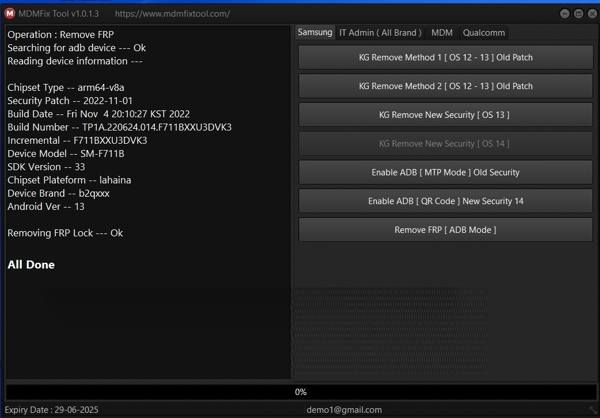
MDM Fix Tool is a specialized program designed to remove MDM restrictions or bypass FRP locks on Android phones. It is well known that a simple factory reset won't remove MDM without the admin IT password. Whether you get a second-hand phone or leave the organization, MDM Fix Tool helps you remove these restrictions and allows you to get full access to your device.
Key Features of MDM Fix Tool
- 1.Bypass MDM lock from Samsung devices.
- 2.Get rid of FRP on the Google account verification screen.
- 3.Remove Knox Guard with one click on Android 11/12/13.
- 4.Bypass the IT Admin with multiple methods.
- 5.Integrate a user-friendly interface.
- 6.Work on most Samsung models and Android versions.
- 7.Provide quick solutions without complicated steps.
MDM Fix Tool Review
Pros
- MDM Fix Tool is free to download.
- It is straightforward and easy to use.
- It supports almost all Samsung devices and other brands.
- It allows users to remove FRP without the Google account password.
- It is portable and doesn't require installation.
Cons
- It is only available on Windows 11 to 7.
- It lacks important features, like Android phone unlocking.
- The success rate is different, depending on your device.
Part 2. How to Use MDM Fix Tool
Download MDM Fix Tool
Access the official website.
Click the Download button next to the latest version and download MDM Fix Tool to your hard drive.
Extract the files from the archive.
Prepare Your Device
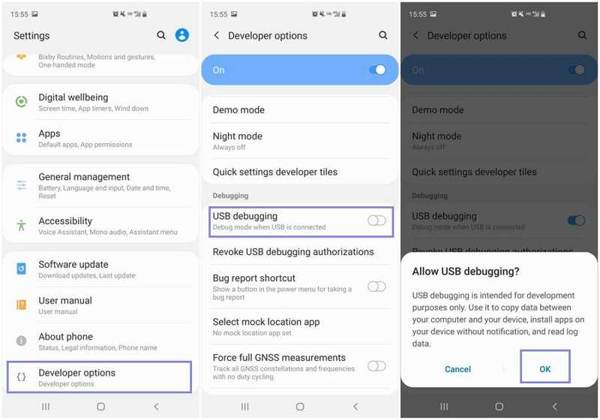
Ensure your phone is charged to at least 50%.
Open the Settings app.
Go to Developer options and toggle on USB debugging.
If you cannot find Developer options, go to Settings, About phone, and Software information. Tap the Build Number option seven times in a row.
When prompted, tap OK to confirm it.
Next, connect your phone to your computer with a USB cable.
Bypass MDM and FRP with MDM Fix Tool
Open the exe file in the archive folder.
Register it and complete MDM Fix Tool activation following the onscreen instructions.
Select your phone model from the interface.
Click the Start or Bypass MDM/FRP button.
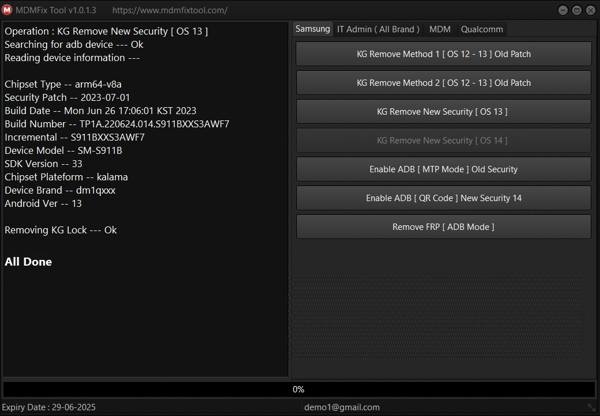
When the process completes, your phone will reboot, and MDM or FRP Lock will be removed.
Now, set up your device with the setup instructions.
Extended Reading:
Part 3. An Ideal Alternative to the MDM Fix Tool for iOS
While the MDM Fix Tool is working on Samsung devices, it is unavailable for iPhones and iPad devices. Therefore, we recommend imyPass iPassGo. It is able to bypass MDM from iOS devices without any restrictions. Furthermore, the interface is intuitive.

4,000,000+ Downloads
Bypass MDM from an iPhone in three steps.
Don't require an IT admin password.
Protect your data during the process.
Offer bonus features, like unlocking the iPhone.
Support a wide range of iPhone and iPad models.
How to Use the MDM Fix Tool Alternative
Install an alternative to the MDM Fix Tool
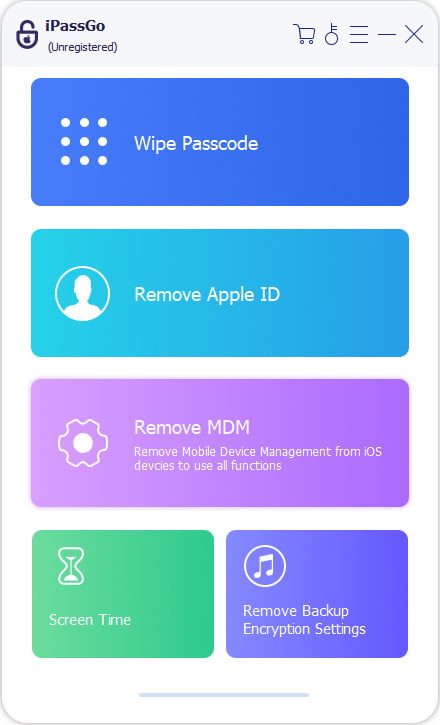
Start the alternative of the MDM Fix Tool for iOS once you install it on your PC. There is another version for Mac. Choose the Bypass MDM mode to proceed.
Connect to your iPhone
Link your iPhone to your PC with a Lightning cable. If you link the two devices for the first time, tap Trust on your screen to trust this PC. After your device is detected, start the process.
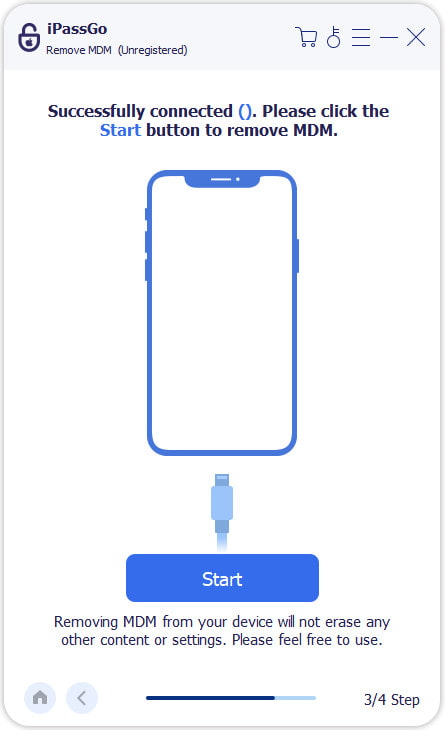
Bypass MDM
Then, the software will begin removing MDM from your iPhone automatically. During the process, keep the two devices connected. Wait for the process to finish, and your iPhone will restart.
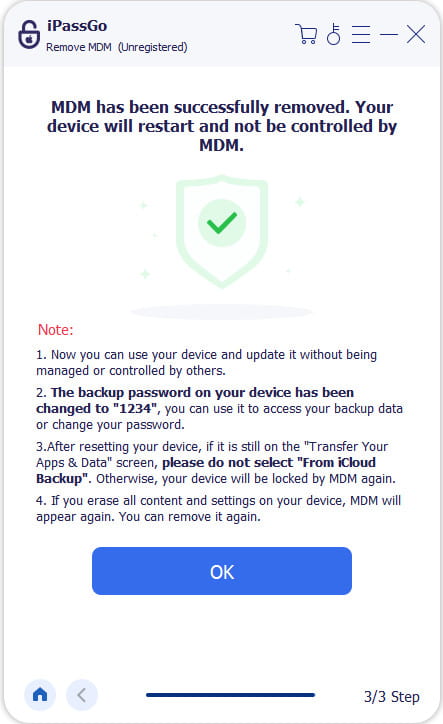
Bear in mind that MDM will reappear if you erase your iPhone. Then, you need to remove MDM again.
Conclusion
This article reviewed one of the best MDM removal software for Android devices, MDM Fix Tool. Now, you should understand what it can do, the advantages and disadvantages, and how to use it to bypass MDM on your phone. More importantly, we recommended an alternative program for iOS devices, imyPass iPassGo. It can help you get rid of MDM controls from your iPhone or iPad without technical skills.
Samuel specializes in password security and digital privacy. He used to work as a cybersecurity consultant for small businesses to protect digital assets. With certifications in Cybersecurity and Ethical Hacking, he turns complex security topics into easy-to-follow advice. He also enjoys sharing password tips to help users protect their accounts more confidently.
Hot Solutions
-
Unlock iOS
-
iOS Tips
-
Unlock Android
-
Password Tips


