Solution
 Support Center
 About Us
 Contact
Grindr Change Location: Follow The Guide For iPhone/Android
 Penny Warren Published on October 10, 2026GPS Location3-min reading
Want to change your location on Grindr to explore connections in different areas or keep your distance more private? This guide contains all available methods and offers practical tips to help you get started. In this guide, you'll learn how to change your location on Grindr for iPhone and Android, understand the limitations of each method, and adjust your privacy settings smoothly.

In this article:
Part 1. Can You Change Location on Grindr Free
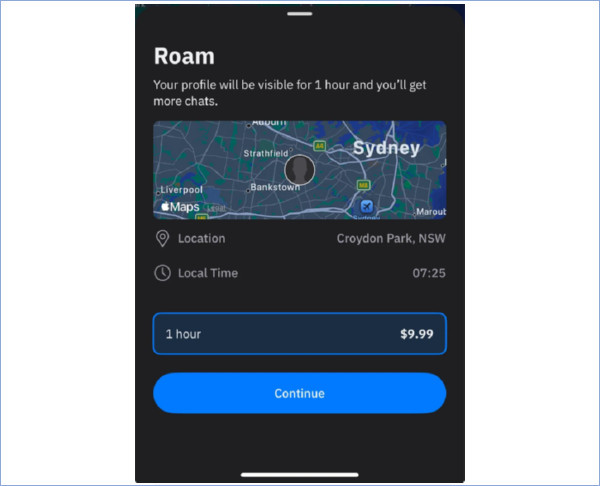
No, not if you want to use Roam to set your profile location to another area. Grindr is a location-based dating app that helps users connect with people nearby. If you want to appear in another city without physically traveling there, you can use Roam to set your profile location to another destination for one hour. Then, people nearby can then see your profile as if you were in that area.
However, Roam requires a purchase. It is separate from Grindr's Free, XTRA, and Unlimited plans. If you don't want to pay for Roam, you can also check out Grindr's Explore feature. It lets you browse profiles in other areas, but it doesn't necessarily change your own profile location.
Part 2. How to Change Grindr Location with Roam
Grindr Roam lets you set a temporary profile location in another area for one hour. If you want to connect with people in a different city, follow these steps to change Grindr location.
Open Grindr and go to Explore. Find the area where you want to browse profiles.
Choose your desired location and look for the Roam option.
Follow the on-screen instructions to purchase and start Roam. Once activated, your profile can appear in the selected area for the available session time.
Part 3. How to Fake Grindr Location on iPhone
Grindr's built-in Roam feature lets you set a temporary profile location, but it requires a purchase every time. If you want to fake your location on Grindr unlimitedly, you can try imyPass iLocaGo, a location-changer for iOS and Android devices. It lets you select a location on a map and change your GPS location on Grindr.
Install imyPass iLocaGo
Download imyPass iLocaGo from the official website and install it on your Windows PC or Mac. Open the program when the installation is complete.
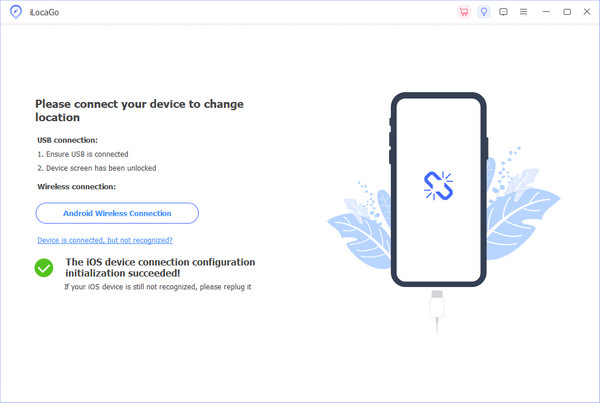
Connect your iPhone to the computer
Connect your iPhone to the computer using a USB cable. Follow the on-screen instructions to let the program recognize your device.
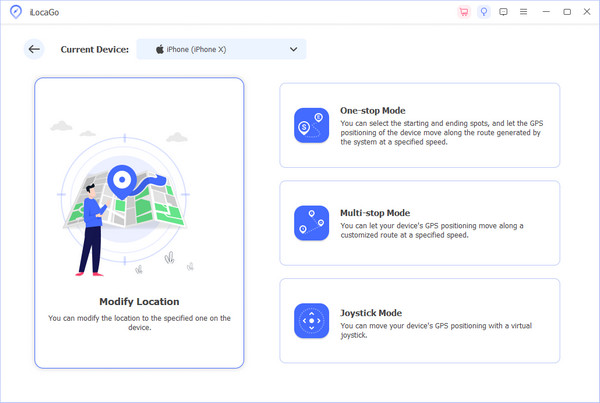
Select Modify Location
Once your iPhone is connected, choose Modify Location from the main interface.
Choose a Location
A map will appear. Enter an address in the search bar or select a location on the map, then click Modify to apply the location change. Open Grindr and check whether the displayed location has changed.
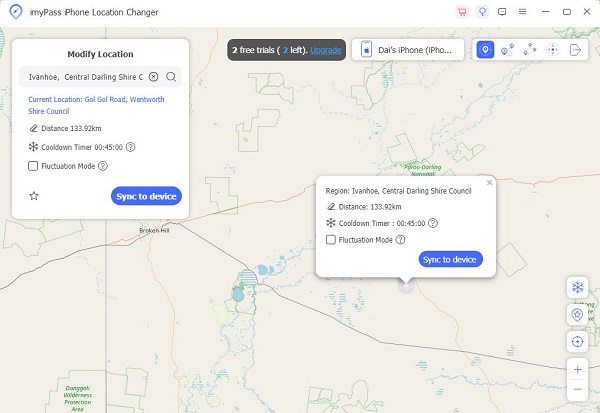
To avoid being banned by Grindr, please make sure you fake your phone location successfully before opening Grindr, and close Grindr before you spoof to another place.
Part 4. How to Fake Grindr Location on Android
Android lets you select a mock location app through Developer options.
Enable Developer Options
Install and open a mock location app, such as imyPass iLocaGo. Then, navigate to Settings, tap About, locate Build Number, and continuously tap it until a notification confirms that Developer options are enabled.
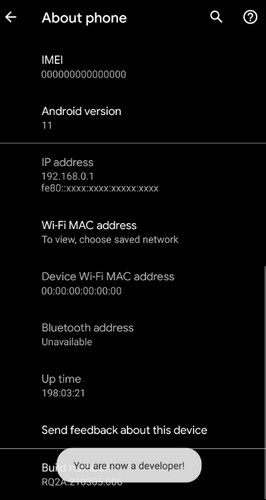
Select the mock location app
Open Settings, tap Developer Options, hit Select mock location app, and choose the location spoofer installed before.
Fake location on Grindr
Use the mock location app to simulate your Android phone's location. Open Grindr and check whether it displays the selected location.
FAQs.
-
Can my location be tracked on Grindr?
Yes, Grindr relies on location services to show nearby users. If your device enables location services, Grindr can determine and display your approximate location to other users. To enhance privacy, consider adjusting your device's location settings or using features like Grindr's Explore mode.
-
Does Grindr get the location wrong?
Grindr's location accuracy depends on your device's GPS and network signals. Occasionally, it might inaccurately display your location due to technical issues or signal interference. If you encounter consistent inaccuracies, ensure your device's location settings are configured correctly, or consider using location-mocking apps after enabling Developer Options.
-
How do you mock a location?
To mock a location, enable Developer Options on your device. In Settings, go to Developer Options, choose Select mock location app, and choose a location-mocking app from platforms like Google Play. Once configured, the desired app will simulate a different location, allowing you to control the information shared with location-dependent apps like Grindr.
Conclusion
In a word, Grindr provides Roam as an official method to change the Grindr location. But there are restrictions on using it, and you have to buy it every time. If you are looking for ways that both work on iPhone/iPad and Android devices, try imyPass iLocaGo as an alternative to spoof GPS location.
Penny focuses on GPS troubleshooting and Windows optimization. She formerly worked as a technical support engineer, helping clients solve location-based and system issues efficiently. Backed by IT support experience, she provides practical solutions that really work. In her free time, she likes hiking and geocaching, testing GPS tech in the real world.
Hot Solutions
-
GPS Location
-
Unlock iOS
-
iOS Tips
-
Unlock Android