Solution
 Support Center
 About Us
 Contact
Password Manager for Firefox: Keep Your Account Passwords Safe
 Gideon Byron Published on March 03, 2026Password Tips3-min reading
Commonly, we use web browsers, like Firefox, to gather information online. Besides that, there are multiple accounts signed in this web browser, such as social media, streaming, and other types of accounts. Due to their quantity, we sometimes accidentally forget the password of the account, which is very inconvenient.
The good thing about Firefox is that it has the leading password managers that can be used. They are built to keep your account passwords known and secure. See the Firefox password manager tools, apps, and extensions in this post as you scroll below.

In this article:
Part 1. Reviewing the Built-In Firefox Password Manager
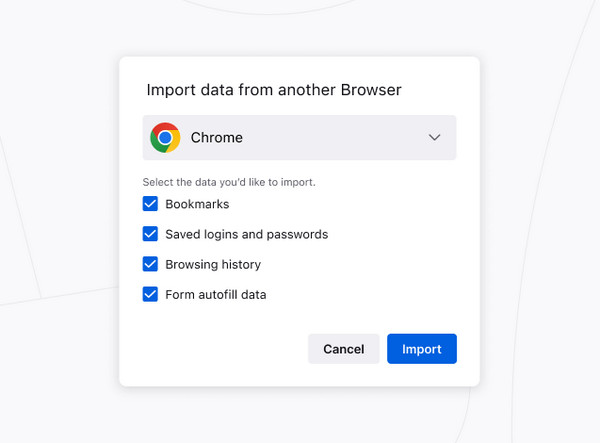
The built-in Firefox password manager allows you to save your usernames and passwords for easy access when signing in. The next time you visit the same website, you will have a smooth sign-in process. It only uses the free Mozilla account, which is the required account for the web browser. Is the Firefox password manager secure? Definitely, yes! It secures all the stored information from the account.
Pros
- It allows an autofill process for a quick sign-in for your accounts.
- It allows you to import from different web browsers, including Safari and Chrome.
- The password manager offers a strong password while creating a new one, without reusing it.
- It alerts you if your password has been exposed in a data breach.
Cons
- It lacks advanced features for managing your account passwords.
- It has weak offline usability because you need an internet connection every time you use it.
- It does not offer many recovery options.
- It experiences sync bugs and inconsistencies.
Part 2. Review of Top Firefox Password Manager Extensions
However, in some rare case scenarios, Firefox disables the password manager. It happens due to multiple system issues or problems with the web browser. In this case, you might need to use an alternative. Below are the three best Firefox password manager extensions. See their list as you scroll below.
Bonus: How to Disable the Built-In Manager
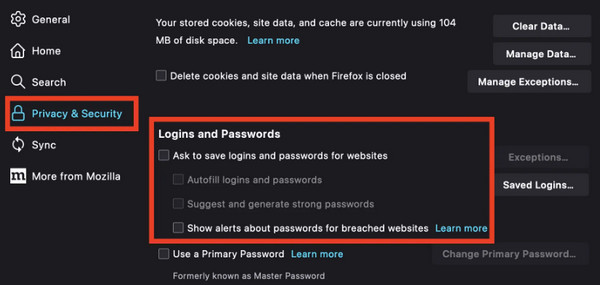
Before that, you need to disable the Firefox built-in password manager. It is to avoid conflicts and ensure the third-party extension is your sole password manager. The steps are available below.
Open Firefox and click the Hamburger button. Then, select the Settings button to proceed.
Select Privacy & Security. Uncheck your Ask to Save Logins and Passwords for Websites.
1. LastPass Password Manager
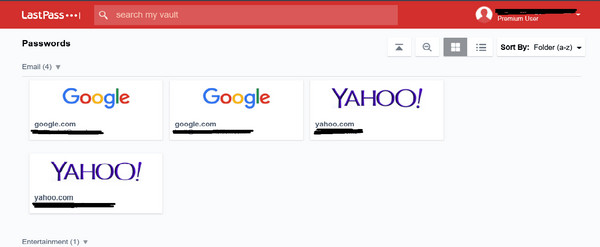
LastPass password manager on Firefox is a free digital service that allows users to store, generate, and secure their account passwords on the mentioned web browser. It has a centralized vault that can scan information from your account. It uses strong encryption. The extension is also a zero-knowledge security model.
Pros
- It has a broad cross-platform support.
- It secures the tools that are included in the web browser.
- It has flexible plans for businesses and families.
Cons
- It passed security breaches after trusting it.
- It is cloud-only without self-hosting.
- It supports complaints from different experiences of users.
2. RoboForm
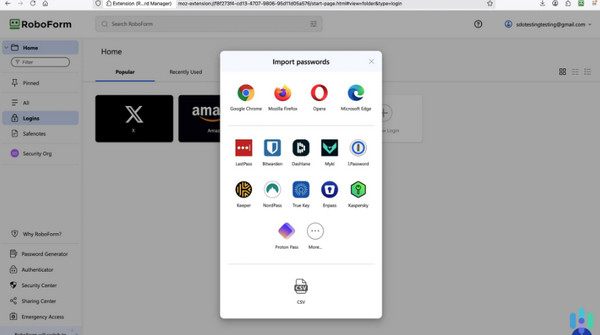
RoboForm is almost similar to the previous password manager extension. It is also commonly used to generate and store your Firefox account passwords. Their only difference is that it can store your address and credit card information. Also, it has a complex interface that might be inconvenient for beginners.
Pros
- It has an excellent autofill feature.
- It works on different platforms.
- It secures the sharing of emergency access.
- It has a built-in authenticator.
Cons
- It limits you to one device for its free version.
- The autofill from the extension is a bit frustrating.
- It does not have secure file storage.
3. Dashlane
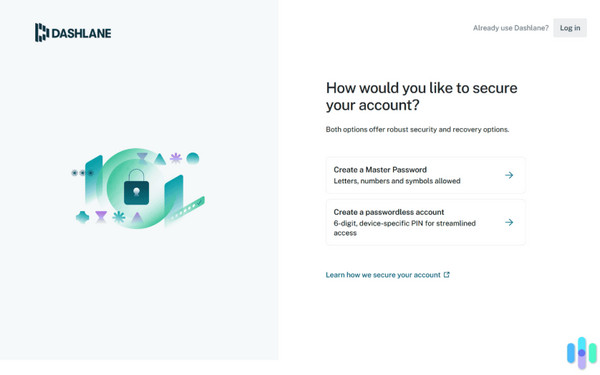
Dashlane is a robust password manager that can manage Firefox passwords in a few clicks. It encrypts the account passwords to secure them. It offers an extra security tool for web monitoring. It also offers a security dashboard.
Pros
- It has strong suite encryption.
- It syncs data, including 2FA support.
- It has easy features.
- Its simple interface will be encountered.
Cons
- It limits you to premium pricing and the removal of the free plan.
- Users experience a misbehavior from the autofill feature.
- It faces privacy concerns from different users.
- Some users experience product direction issues.
Part 3. Other Password Managers for Firefox (Software & Apps)
Besides the Firefox extensions, you also might consider using tools or apps. In this section, we recommend the three best password managers. Please continue browsing to know them.
1. imyPass iPhone Password Manager
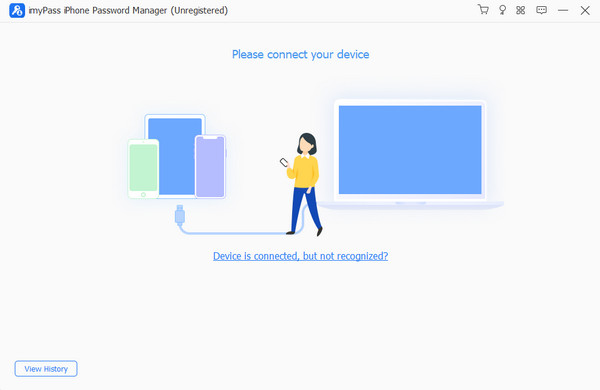
imyPass iPhone Password Manager is a premium tool that can be used as a Firefox password manager for your iOS devices. It can view, manage, export, and share the account passwords from the mentioned web browser. It is compatible with the latest or earlier versions of iOS. Not just that. It also supports different iPad models and versions.
Moreover, this tool provides the most secure way to protect your passwords that are saved on your iPhone. It scans your iPhone Firefox password in a few seconds only.
Pros
- It is accessible on Windows and Mac.
- It can export your passwords from iPhone as a CSV file.
- You can make backups of the exported password files.
Cons
- A computer is required.
2. Google Password Manager
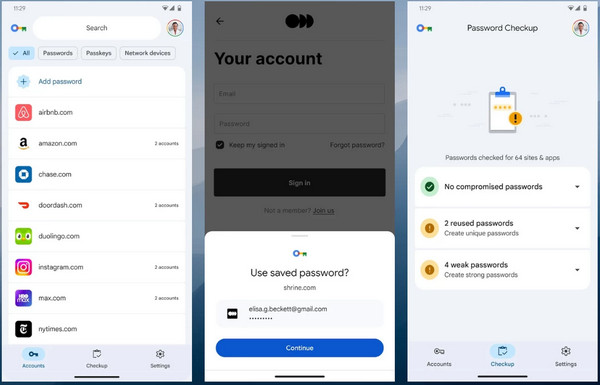
Google Password Manager is the built-in password manager of Google. It is commonly used to save, autofill, and generate passwords for your account. It can also be used for your Firefox account because it is accessible on your iPhone and Android. The best thing about it is that it can back up your passwords anytime.
Pros
- The autofill feature of the tool can smoothly sign you in to your account.
- It prompts automatic password health alerts.
- It does not need an extra app friction.
- The application is completely free.
Cons
- It is tightly tied to your Google account.
- It lacks advanced features, including emergency access, multiple vaults, and more.
- The manual organization of the app is basic.
- It is not the app that is ideal for sharing passwords.
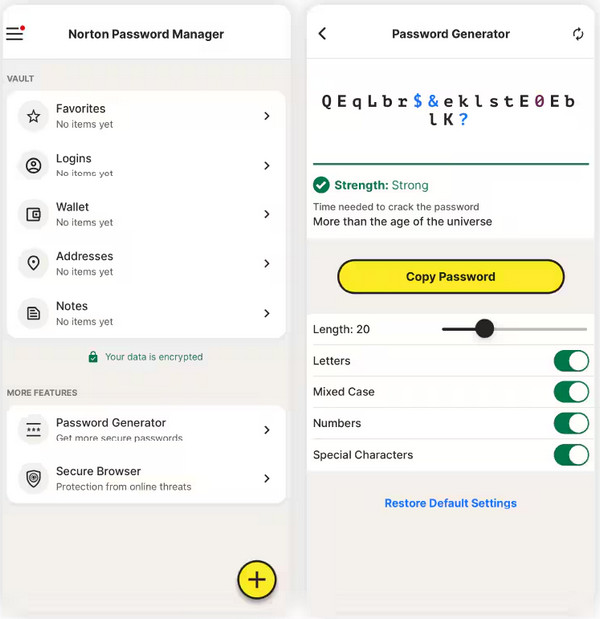
3. Norton Password Manager
Norton Password Manager is one of the best Android password manager apps, including some of the iPhone models. It is utilized by users who want a simple and free password manager app for accounts on the Firefox web browser. It offers automatic syncing for their account passwords.
Pros
- It offers unlimited storage for your Firefox account password.
- It has a simple interface that is approachable for novices.
- You can use fingerprint or face recognition to unlock it.
- It has unlimited cross-device syncing for different devices.
Cons
- The 2FA feature is inconsistent and limited.
- Most of the features it offers are basic.
- The documentation of your account passwords is weak.
- The app often experiences security perception issues.
Conclusion
All in all, you can manage Firefox passwords with the best password manager apps, tools, and extensions in this post. imyPass iPhone Password Manager is the most convenient password manager tool you could ever use. It supports your latest and earlier versions of iOS. Download it if you want to explore more of its functions.
Gideon writes about unlocking iOS, Android, and Windows devices. He previously worked as a mobile device specialist in a repair center, assisting customers with locked devices and password recovery. In his spare time, he tests new unlock tools, customizes smart devices and makes complex unlock processes simple and safe.
Hot Solutions
-
Password Tips
- 4 Best Instagram Password Finders
- How to See Your Instagram Password
- How to Unlock Your Snapchat Account
- How to Reset Forgetten Twitter Password
- How to View Saved Passwords in Chrome
- What to Do When I Forgot My Apple ID Password
- How to Reset Your Snapchat Password
- How to Reset Forgotten Discord Password
-
Unlock iOS
-
Unlock Android
-
Windows Password