



 Solution
 Support Center
 About Us
 Contact
Review of FRP Hijacker - Intro, Pros & Cons, Guide, and Alternative
 Gideon Byron Published on December 18, 2025Unlock Android3-min reading
When you factory reset your Samsung phone, it may be locked by FRP. If you forget the combined Google account password, you can't access your Samsung phone. FRP Hijacker can be your solution. However, you should take time to figure out whether this app can really help you. This article will deeply review the FRP Hijacker APK and display how to download FRP Hijacker and use it to remove the FRP on your Samsung.

In this article:
Part 1: Detailed Introduction to FRP Hijacker
FRP Hijacker is an app designed by Hagard to unlock the FRP (Factory Reset Protection) on Samsung phones. After you use this application, you can use your Samsung phone without restriction after factory resetting it. You'll need FRP Hijacker when you reset a second-hand Samsung or you forget the combined Google account password.
Platform: Windows 7 to Windows 10
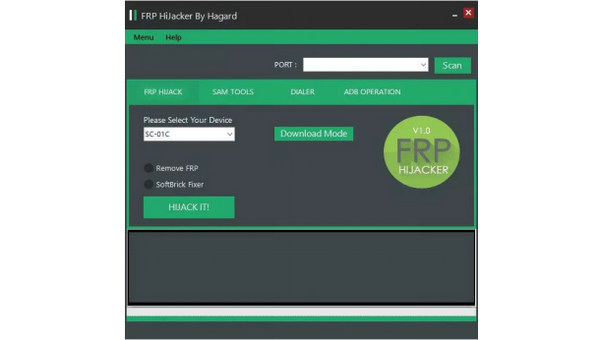
Main Features of FRP Hijacker
Although it's named FRP Hijacker, this program also has multiple features more than FRP bypassing.
Samsung FRP bypassing - The primary feature of the FRP Hijacker tool is remove the FRP on your Samsung after a factory reset when you forget the Google account password.
Remove the soft brick on Samsung - If your Samsung phone gets stuck in soft brick, FRP Hijacker can also help you remove it. When your Samsung is freezing during boot, your phone suffers from a soft brick. The FRP Hijacker tool can quickly remove this problem.
ADB-related maintenance - It can enable ADB, reboot into different modes, and execute system-level commands.
Support Download/Odin Mode operations - This tool supports Samsung-specific Download/Odin Mode operations to interact directly with the device’s system and firmware.
Troubleshooting FRP Hijacker
FRP Hijacker can't work well on the latest Samsung phones, especially newer Galaxy S and Note series models released in recent years, as well as newer Galaxy A series devices running the latest Android versions and security patches.
Also, the developer has suspended the update and support for FRP Hijacker. If you suffer from multiple failures or system crashes, what you can do is reinstall FRP Hijacker.
Pros
- Remove FRP on your Samsung for free.
- Fix the soft brick on your phone.
- Bypass FRP on your phone with only one click.
Cons
- It only supports Samsung phones. If you want to deal with other Android phones, this program can't work well.
- It's difficult to download FRP Hijacker.
- It won't work on the latest Samsung phone models
Part 2: How to Download and Use the FRP Hijacker Tool
How to Download FRP Hijacker to Your Computer
It's not that easy to download FRP Hijacker. This program has no single product page, and you also can't go to Hagard to download the FRP Hijacker tool, for Hagard has suspended the support service.
You can only download the cracked FRP Hijacker anywhere on the internet. However, you'd better test the downloading with some virus detect websites. Here is a download link for your reference - https://frp-hijacker-by-hagard.updatestar.com/download.
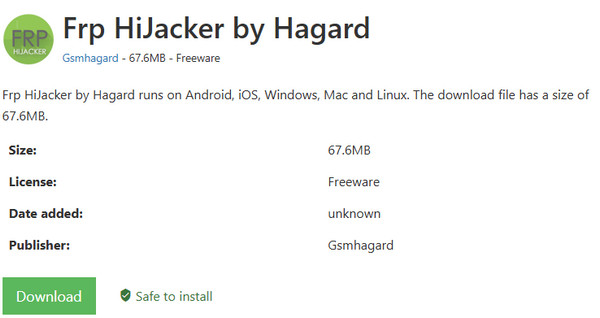
It is a RAR file. You can unzip it and find the .exe file. Double-click it and follow the on-screen instructions to install the tool.
How to Use FRP Hijacker to Bypass FRP
FRP Hijacker can easily remove FRP on your Samsung phone. FRP is like iCloud Activation on iPhone. They are all meant to protect the data after the device is reset. It's difficult to remove iCloud Activation lock, but FRP Hijacker can unlock FRP on Samsung easily. However, since it's a desktop program, you should connect your Samsung to your Windows computer.
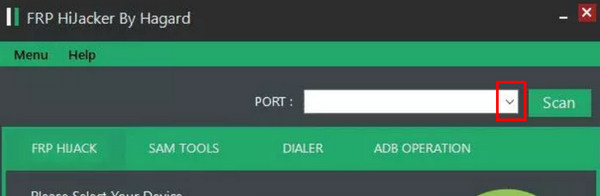
Plug your Samsung to your computer. Click the PORT dropdown button to select your Samsung phone USB connection.
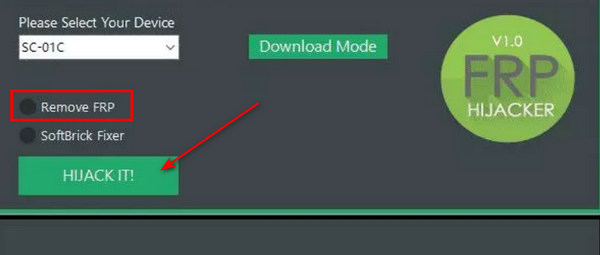
Choose Remove FRP and click the HIJACK IT button to remove the FRP on your Samsung phone with the FRP Hijacker tool. Your Android phone won't be bothered by the Google account verification.
Part 3: Best Alternative of FRP Hijacker [For All Popular Android Devices]
FRP Hijacker is a free tool that allows Samsung users to bypass Google FRP. However, it doesn't support any other brands and isn't compatible with Windows 11. What's more, users in XDA report that FRP Hijacker doesn't work sometimes. See comments here:
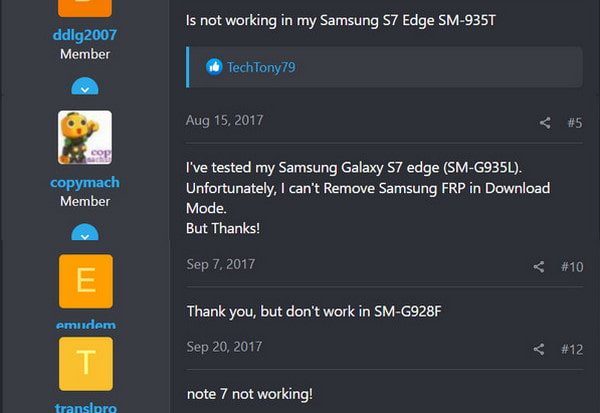
Therefore, if you have tried FRP Hijacker or free APK-based tools like AddROM bypass, these methods are often less compatible with modern models. In such cases, a more reliable option is to use professional tools such as imyPass AnyPassGo, iMyFone LockWiper, or Dr.Fone. They all support many other Android brands and are compatible with Windows 11. If you have any questions, 24/7 online support is also available. Here, we will take imyPass AnyPassGo as an example and show you how to bypass FRP lock using the FRP Hijacker alternative.
4,000,000+ Downloads
Compatible with nearly all Samsung models
Besides Samsung, you can also bypass FRP on Realme, Motorola, OnePlus, Xiaomi, Huawei, Oppo, Vivo, etc.
Bypass FRP with a proven higher success rate.
Bypass FRP on your phone while fixing it to a refreshed state.
Support the latest Android 17.
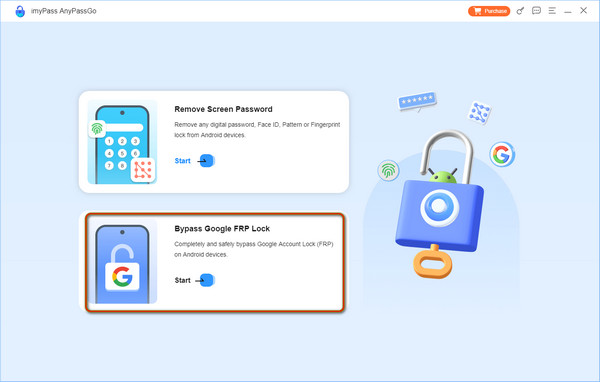
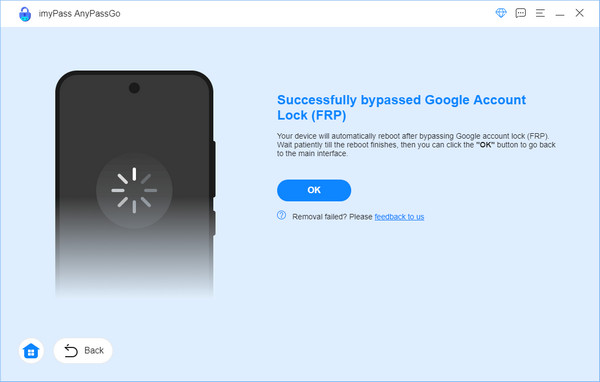
Visit the former link and download imyPass AnyPassGo to your computer. Launch this program and click the Remove Google Lock (FRP) in the main interface. Prepare a USB cable and connect your device to this computer.
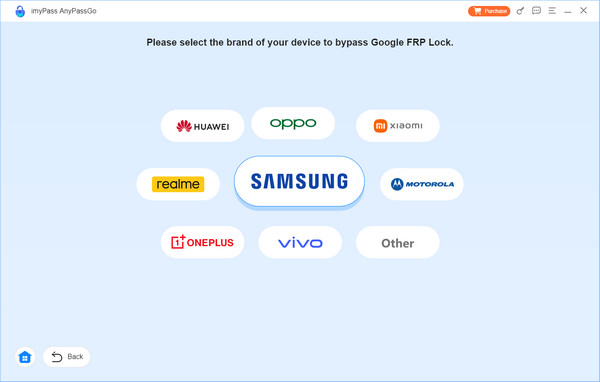
Choose your phone brand.
Follow the on-screen guide to prepare your phone. After your device is ready, the program will start to bypass the FRP lock.
FAQs.
-
Is it legit to use FRP Hijacker?
Yes, it is. It's definitely legal to use this program. Although it's controversial about using a FRP bypass solution, there's no law to ban its use.
-
Will FRP Hijacker steal my privacy?
No, it won't. FRP Hijacker won't affect your data and privacy. However, your phone has been reset, so there's no data left on your phone.
-
Can FRP Hijacker unlock SIM?
No, it can't. FRP Hijacker can't unlock the SIM restriction on your phone. You should call your provider to unlock your SIM with paid or free methods.
-
Does FRP Hijacker support Android 17?
No, it doesn't. FRP Hijacker is primarily designed for old Android devices. Although there are not clearly documented, it can hardly support Android 10 and newer Android versions. Moreover, even when bypassing old Android versions' FRP, it is reported to work only for Samsung phones.
-
Why can't I download FRP Hijacker on the official website?
That's because the official website is not supported by the developer. You can only get FRP Hijacker from a third-party program website.
Conclusion
This article tells you how to download the FRP Hijacker APK and use it for your Android phone. You can unlock FRP or remove other restrictions on your Android. However, FRP Hijacker can't support the latest Android phones and OS versions, therefore, you need a better alternative to the FRP Hijacker tool - iMyFone LockWiper. It can quickly bypass FRP and you can regain full access to your Android.
Gideon writes about unlocking iOS, Android, and Windows devices. He previously worked as a mobile device specialist in a repair center, assisting customers with locked devices and password recovery. In his spare time, he tests new unlock tools, customizes smart devices and makes complex unlock processes simple and safe.
Hot Solutions
-
Unlock Android
-
Unlock iOS
-
Password Tips
-
iOS Tips

