



 Solution
 Support Center
 About Us
 Contact
How to Use the T-UnLock Tool to Unlock Different Android Phones
 Gideon Byron Published on January 30, 2026Unlock Android3-min reading
Carriers offer installment Android phones for their consumers. They are smart enough because they lock the Android phones sold on installment to their network. It is used for contract-based deals from Android phones and other devices. The Android phone will continue to be carrier-locked until it is paid off, which is inconvenient for some situations for some users.
They cannot use other SIMs from another country when travelling if it is not supported. Also, some carriers offer a slow network, and other users prefer to use an alternative SIM. Good news! T-UnLock can help you unlock your carrier-locked Android phone. Its full review can be seen below.

In this article:
Part 1. What Is T-UnLock
T-UnLock is a third-party application that can perform a SIM unlock on your Android phone. The tool is full independent of the server. It only means that you can use it anytime. It is best for beginners because it offers a one-click unlock process for your carrier-locked Android phones. However, T-UnLock does not support all carriers to unlock your Android phones, including their models.
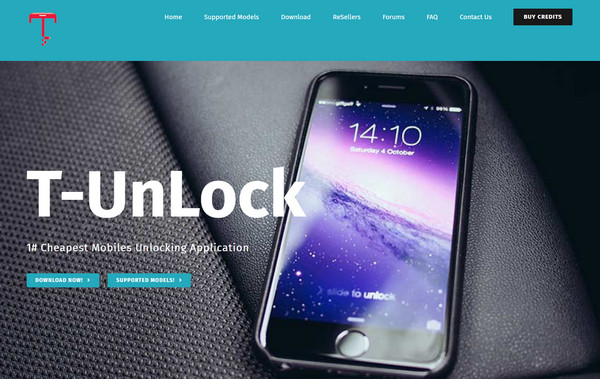
Key Features of T-UnLock:
- The tool supports excellent customer support, which is helpful when the user faces an error during the process.
- It checks the SPC code of your Android phone.
- It supports multiple carriers, including Sprint, T-Mobile, and more.
- It changes the VZW or CSC code on your Android phone.
- It is compatible with different Android phone brands, including ZTE, Samsung, LG, OnePlus, and more.
Pros
- The tool can be used with different Android phone versions, including Android OS 11, 10, 9, 8, 7, 6, 5, and 4.
- It offers affordable prices for its users.
- You can purchase its new versions anytime with different payment methods available in your country.
- The unlock procedure of this tool for your carrier-locked Android phone is straightforward.
- It does not contain resource-intensive files.
Cons
- The tool does not work on macOS because it only supports Windows.
- The free version has limited features that it can offer to its pro version.
- The unlocking process is easy, but setting it up requires a professional skill.
- It has other features that are hard to understand for novices.
Part 2. T-unlock and T-UnLock: Don't Get Confused
T-unlock and T-UnLock are not the same. People get confused with these two. T-unlock is the process of unlocking the T-Mobile phone. It allows you to use other SIM carriers from the pre-installed T-Mobile Device Unlock app. However, you can only use it if the device or Android phone is active for 40 days. Also, you need to meet the other T-Mobile policy requirements. If not, you cannot proceed with the unlocking process.
On the other hand, T-UnLock is a tool that can unlock different Android phone brands, not just T-Mobile. It can also unlock carrier-locked Android phones from different carriers, including T&T, Verizon, and more. However, there is no limitation from the carrier. You can unlock your Android phone anytime. You can also use it to unlock a Motorola phone, a Samsung, an Oppo, and more.
Part 3. How to Use T-UnLock
Before we unlock your carrier-locked Android phone, there are a few things to consider before downloading and using T-UnLock. There is are T-UnLock tool crack that can be downloaded online. However, they are not safe to use. They might contain malware and viruses for your devices. It is suggested to get it from its official website.
Though bypassing the carrier-locked Android phones is legal in some countries, there are still countries that prohibit it. The reason is that some of the Android phones are for fraud or have been stolen. Anyway, let us know how to use T-UnLock to unlock your carrier-locked Android phone with the steps below.
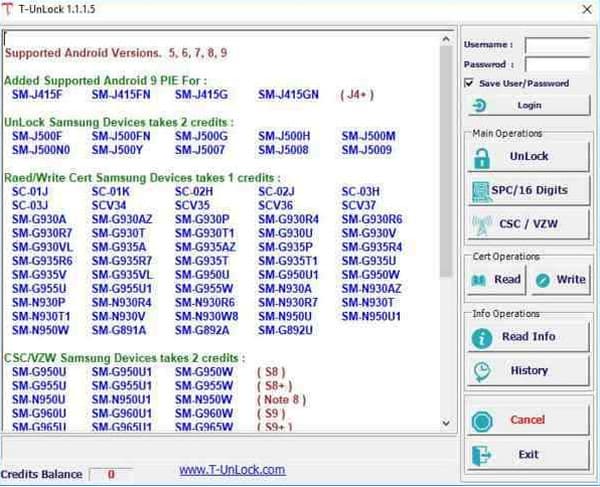
Download T-UnLock on your computer. Set up, install, and open it to start the unlocking process. After that, the supported models will be displayed on the screen. Please select your Android phone brand to proceed.

Enter your username and password at the top right of the screen. Plug your Android phone into a computer using your USB cable. Later, click the Unlock button from the list located on the right side of the screen. The Android phone carrier-locked will be unlocked.
Part 4. Alternative to T-UnLock to Unlock Android Phone
However, T-UnLock cannot bypass your Android phone lock screen and Google FRP lock. imyPass AnyPassGo is its best alternative! First of all, this tool is designed to remove your lock screen password on Android phones without the correct password, PIN, or pattern. Additionally, it can also be used to bypass face recognition and fingerprint lock. It supports different Android phone brands, including Sony, Motorola, OnePlus, Infinix, Oppo, Asus, Vivo, and more. The steps to eliminate the screen lock on your Android phone are visible below.
Go to the website of imyPass AnyPassGo. After that, set up the downloaded file and install it. Then, the tool will be opened on your computer.
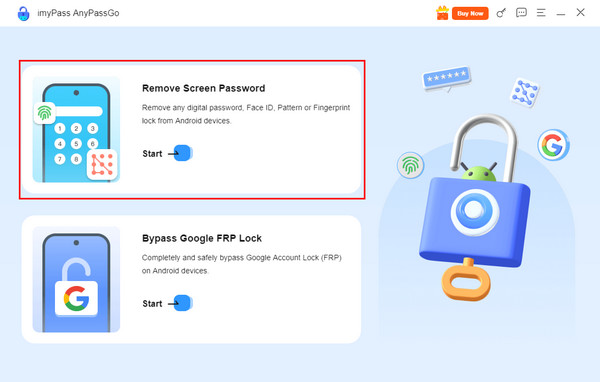
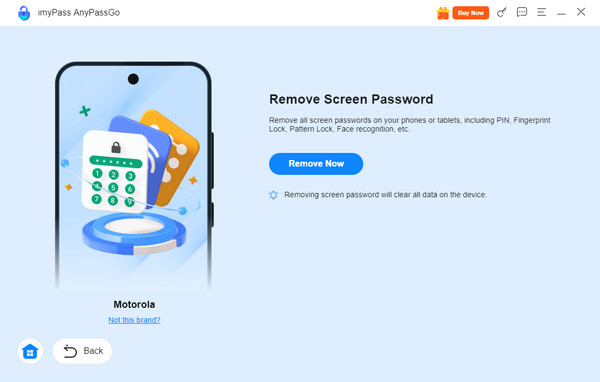
The two main functions will appear on the first screen. It includes the information that they can do to your Android phone. Please click the Remove Screen Password button. It is the feature at the upper part. You can also click the Start button included in the box.
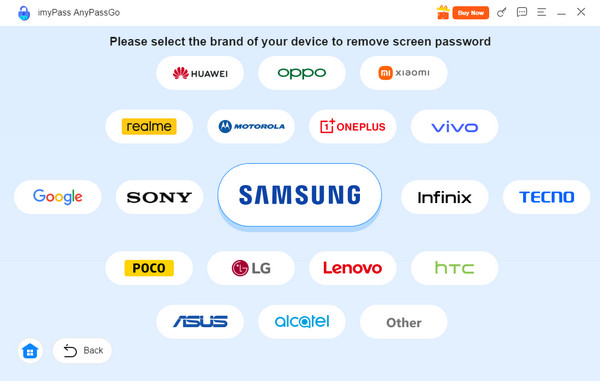
Please select the Android phone brand you have. Then, please plug the Android phone into your computer where the tool is downloaded. Ensure that all of the permissions are enabled to ensure that the plugging process is successful. Later, you must see the Android phone information on the screen.
Click the Remove Now button on the next screen. Then, the removal of your Android phone lock screen will start.
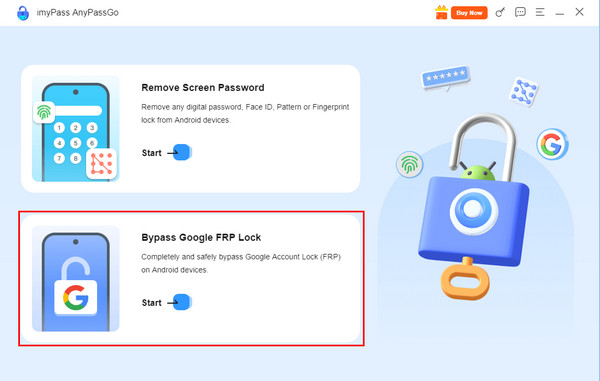
Additionally, imyPass AnyPassGo can also bypass your Google FRP Lock on an Android phone. It almost has the same process as its lock screen removal process. Any Google information is not needed for the procedure. The steps below will guide you.
Download, set up, install, and launch the tool on your computer. After that, select the Bypass Google FRP Lock button or the Start button under it to access the correct features. Plug the Android phone into the computer. Use the compatible USB cable to proceed.
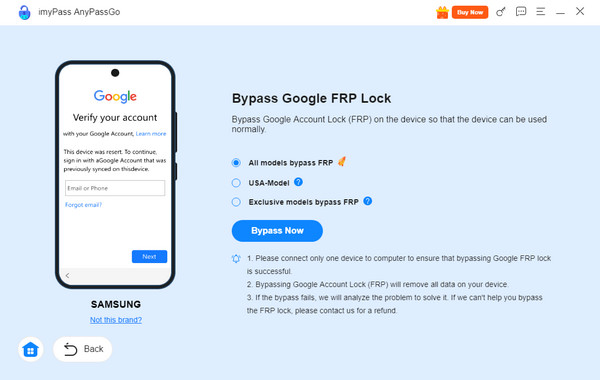
Select the brand of your Android phone. After that, click the Bypass Now button on the next screen. The tool will start to bypass the Google FRP lock feature on your Android phone afterward.
Conclusion
The T-UnLock download, pros, cons, and other information are posted in this article. The procedure on how to use it quickly is also included. imyPass AnyPassGo is the best alternative to T-UnLock for bypassing the screen lock and Google FRP lock of your Android phone. You can download the tool to explore more of the features it contains.
Gideon writes about unlocking iOS, Android, and Windows devices. He previously worked as a mobile device specialist in a repair center, assisting customers with locked devices and password recovery. In his spare time, he tests new unlock tools, customizes smart devices and makes complex unlock processes simple and safe.
Hot Solutions
-
Unlock Android
-
Unlock iOS
-
Password Tips
-
iOS Tips

