



 Solution
 Support Center
 About Us
 Contact
The Ultimate Guide to Bypass Screen Time Passcode on iPhone/iPad
 Samuel Spenser Published on July 14, 2026Unlock iOS3-min reading
Screen Time is a useful feature for balancing device use and setting up parental controls on iPhone and iPad. It can become a headache when you no longer need these restrictions but can't remember your passcode to remove them. How to bypass Screen Time passcode? This guide covers all practical ways to reset or remove the Screen Time passcode for different situations.

In this article:
Part 1. How to Remove Screen Time Passcode on iPhone/iPad
Turn Off Screen Time Passcode via Settings (If You Know Password)
If you still remember your passcode, it's easy and straightforward to remove Screen Time passcode via Settings.
Go to Settings and find Screen Time.
Tap Change Screen Time Passcode, then tap Turn Off Screen Time Passcode.
Enter the original passcode to confirm it, then your Screen Time will be fully removed.
Note:
If you are in a Family Sharing group and you are a child account, you cannot disable the Screen Time passcode on your device, only the family organizers can remove the restrictions on their devices.
Reset Screen Time Passcode via Apple ID (If You Forgot Password)
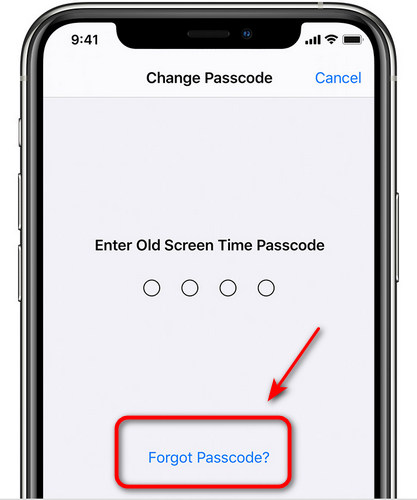
How to get rid of Screen Time passcode if you forgot the passcode? Don't worry! There is still an official way for you! As long as you remember the Apple ID and password used to set up Screen Time, you can reset the passcode directly on your device. This method works for iOS 13.4 and later versions only.
Go to Settings > Screen Time > Change Screen Time Passcode.
Tap Forgot Passcode when the passcode input box pops up.
When prompted, enter your Apple ID and password used to set up Screen Time.
Follow the on-screen prompts to confirm, then you can set a new Screen Time passcode.
Remove Screen Time Passcode via Family Sharing (On Parent's Device)
If your Screen Time restrictions are set by your family organizer through Family Sharing, you can only remove the passcode from the parent's device.
On the parent or guardian's device, go to Settings > Screen Time > Family.
Under the Family section, select the kid's name you want to manage.
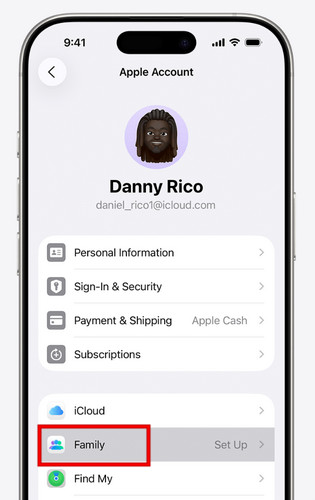
Tap Turn off Screen Time Passcode, then tap it again to confirm. You may be required to authenticate using Face ID, Touch ID, or passcode to complete the process.
Part 2. How to Bypass Screen Time Passcode: 3 Proven Ways
If you don't know the Screen Time passcode and the linked Apple ID credentials, you can use these solutions to bypass Screen Time passcode. We picked 3 practical ways for different needs.
Use imyPass iPassGo (No Data Loss)
imyPass iPassGo is a professional iOS unlock tool that can bypass Screen Time passcode without erasing data. It works on all iPhone/iPad models and the latest iOS versions. It's the safest choice for users who want to bypass forgotten Screen Time password while keeping photos, messages, and files safe.

4,000,000+ Downloads
Bypass Screen Time lock on iPhone/iPad without a passcode.
Remove Screen Time passcode without jailbreaking your iPhone.
Remove screen passcode, Face ID and Touch ID effortlessly.
Provide user-friendly interface that is easy to navigate for beginners.
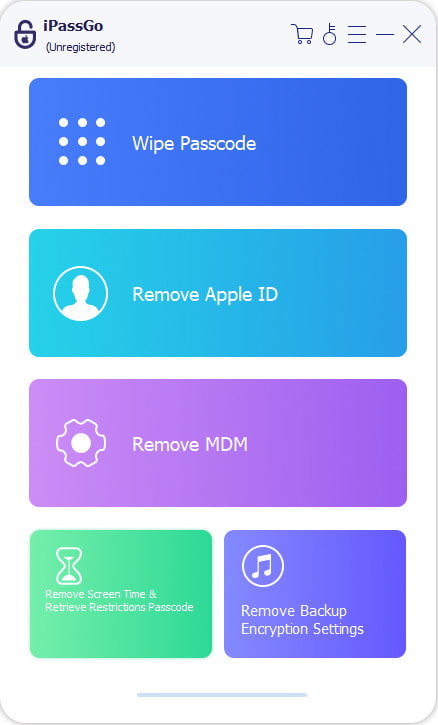
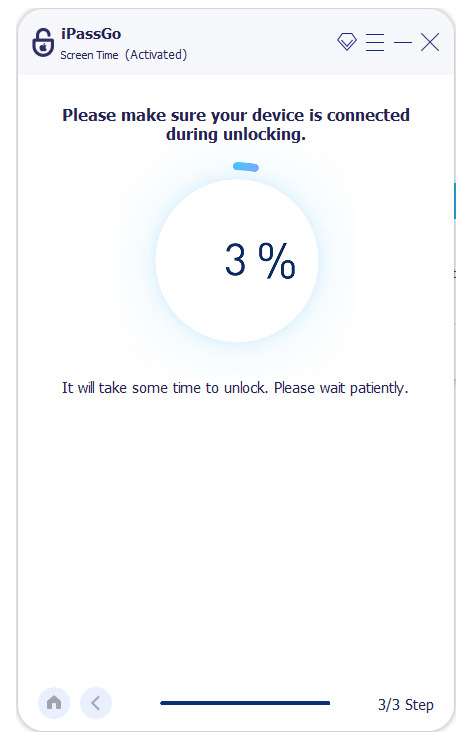
Launch the software and choose the Unlock Screen Time mode. Connect your device to a computer with a USB cable.
Choose how your screen time password is set.
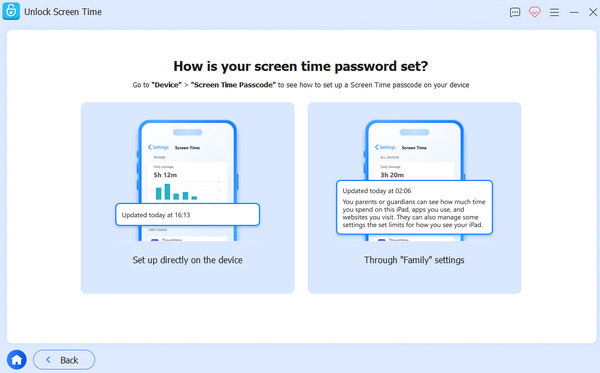
Follow the instructions to turn off Find My and make sure that the two-factor authentication is enabled. Then, click the Unlock button to bypass your Screen Time passcode.
Reset iPhone via Settings
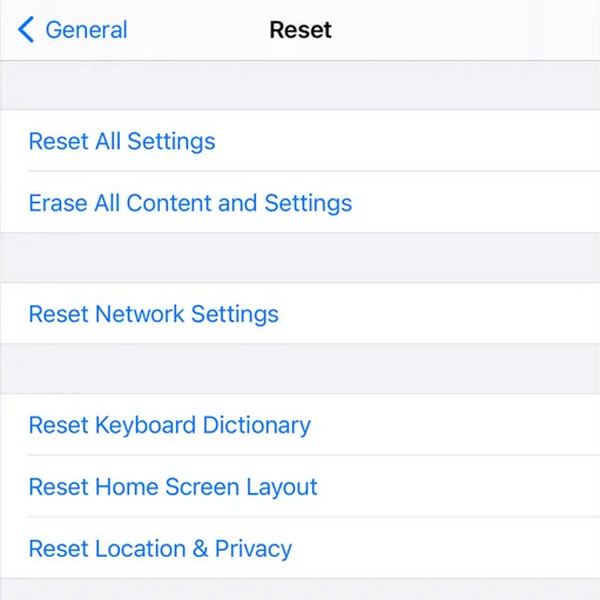
You can also bypass the forgotten Screen Time passcode by resetting all content and settings on your iPhone. This method will delete all your personal data, so back up important files and you can restore from an iCloud backup.
Go to Settings and tap General.
Select Transfer or Reset iPhone and choose Erase All Content and Settings.
If asked, enter your screen passcode and confirm the Screen Time passcode removal.
Restore iPhone Through Recovery Mode
If your device is locked, unresponsive, or stuck on the Screen Time passcode screen, you can restore your device using Recovery Mode. This will erase all your data including the Screen Time passcode on your device.
Put your iPhone into Recovery Mode.
- iPhone 8 and later: Press and release the Volume Up button quickly, followed by the Volume Down button. Press and hold the Power button until Recovery Mode appears.
- iPhone 7/iPhone 7 Plus: Press and hold the Volume Down button and Side button at the same time until the Recovery Mode screen appears.
- iPhone 6S and earlier: Press and hold the Home and Side buttons together until the Recovery Mode screen shows up.
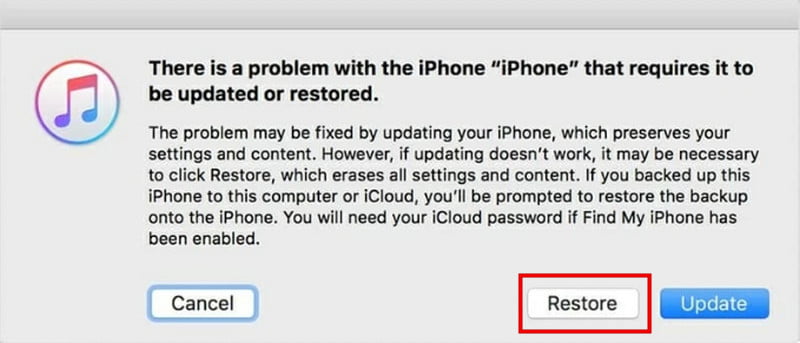
Connect your iPhone to the computer using a USB cable. Launch iTunes and select your device's name from the sidebar.
Select Restore in the prompt window, then your Screen Time passcode will be removed soon.
Part 3. Which to Choose – Comparison of All Methods
To help you quickly pick the best way to remove the Screen Time passcode, we compared all methods covered in this guide.
| Method | Data Loss | Difficulty | Best For |
| Remove via Settings | No | Easy | Anyone who still remembers the passcode |
| Reset via Apple ID | No | Easy | Users who know Apple ID and password |
| Family Sharing | No | Easy | Kids under Family Sharing supervision |
| imyPass iPassGo | No | Easy | Users who forgot passcode and want a fast solution |
| Reset iPhone via Settings | Yes | Medium | Users who can access Settings and don’t mind data loss |
| Restore via Recovery Mode | Yes | Hard | Devices locked, frozen, or unresponsible |
FAQs.
-
How do I bypass Screen Time passcode if I forgot the passcode and Apple ID?
If you forgot both the Screen Time passcode and the Apple ID, you can use imyPass iPassGo to bypass the Screen Time passcode without any data loss. Alternatively, you can reset your iPhone via Settings or restore it through Recovery Mode, but both will erase your device data.
-
Will bypassing Screen Time passcode delete my data?
It depends on the method you choose. If you use a professional tool like imyPass iPassGo, it will not delete any data on your device. Resetting your iPhone or restoring through Recovery Mode will erase all your data.
-
Can a child remove Screen Time passcode on their own?
If Screen Time is set up through Family Sharing, only the family organizer can remove the passcode from their own device. However, a child can use a professional unlock tool to bypass the Screen Time passcode independently.
Conclusion
Now you know how to bypass Screen Time passcode in different scenarios. If you still have your password, turn off Screen Time directly in Settings. If you've forgotten it, reset it with your Apple ID or use Family Sharing from a parent device. If these fixes are all not workable, using a Screen Time passcode remover or reset methods can remove the Screen Time passcode.
Samuel specializes in password security and digital privacy. He used to work as a cybersecurity consultant for small businesses to protect digital assets. With certifications in Cybersecurity and Ethical Hacking, he turns complex security topics into easy-to-follow advice. He also enjoys sharing password tips to help users protect their accounts more confidently.
Hot Solutions
-
Unlock iOS
-
iOS Tips
-
Unlock Android
-
Password Tips


