



 Solution
 Support Center
 About Us
 Contact
iForgot: A Complete Guide to Recovering Your Apple ID Safely
 Samuel Spenser Published on April 15, 2026Unlock iOS3-min reading
Why should you visit the website iforgot.apple.com? You probably forgot your password or can't sign in. This issue can prevent you from accessing your Apple ID, apps, and data. Apple created this website to help you recover your Apple ID. It's important to understand how it works to avoid possible errors and save time. In this guide, you will learn how to recover your Apple ID easily.

In this article:
Part 1. What is iForgot? The Official Apple ID Recovery Portal
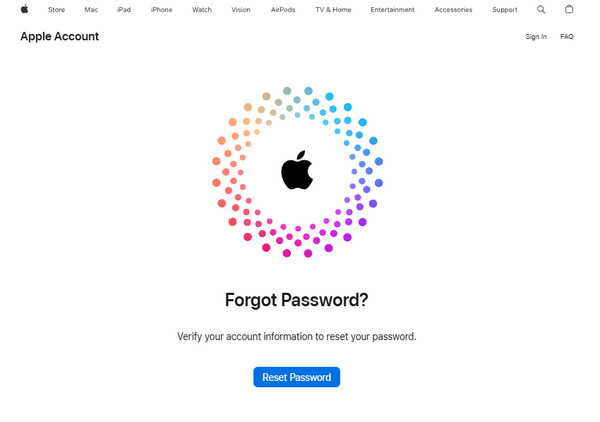
iForgot is Apple's official account recovery system that helps users get back into their Apple ID. The iforgot.apple.com website is where this process happens. It lets users reset passwords, unlock accounts, and verify their identity through secure steps. Apple created this system to protect user data and make account recovery simple and reliable.
Part 2. Is iforgot.apple.com Legit and Safe?
The most common question users ask about this website is whether it is legitimate. The answer is yes; it is an official site created by Apple to help users recover their accounts safely. The website uses reliable methods to ensure that only authorized individuals can access the account. Since Apple created this site, it follows strict security measures to protect your account. If you visit the correct website, it is safe to use.
Part 3. How to Use iForgot.apple.com
If you forget your Apple ID password, the most reliable way to reset it is through the Apple iForgot system. Apple designed this process to be secure while keeping it easy to follow, even for users who are not tech-savvy. Before starting, make sure you have access to your Apple ID email, phone number, or a trusted device.
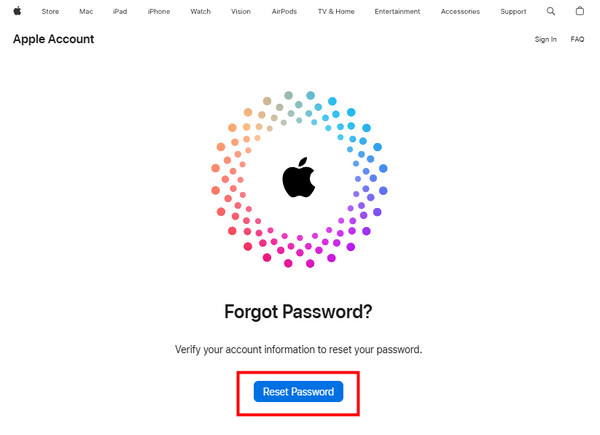
Open your browser and visit the official recovery page at https://iforgot.apple.com. Click Reset Password to start the process.
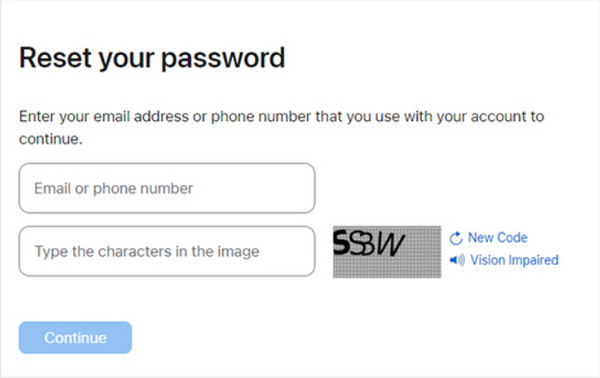
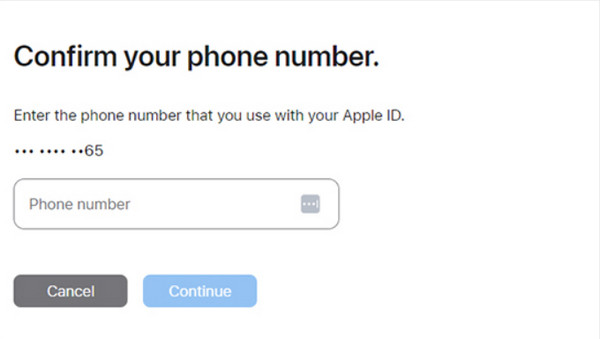
Type your Apple ID email or phone number. Complete the on-screen captcha and click Continue. Then enter the phone number linked to your account.
Follow the prompts to confirm your identity. You may need to approve the request on a trusted iPhone, iPad, or Mac, or enter a verification code sent to your phone.
Once your identity is verified, enter your new Apple ID password twice and click Change to complete the reset. Your account is now ready to use with the updated credentials.
Part 4. Pros & Cons of Apple's iForgot System
The iForgot system is Apple's official method for recovering Apple ID accounts. It aims to combine convenience and security, but like any recovery tool, it has its strengths and weaknesses. Below is a detailed examination of the pros and cons, along with explanations for each point.
Pros
1. Official and Trusted
The iForgot system is maintained directly by Apple, which makes it a legitimate and reliable method for account recovery. Users can trust that their personal information, passwords, and devices are protected from phishing scams or third-party attacks. This official status also means Apple regularly updates the system to stay aligned with security standards.
2. Secure Recovery Process
The iForgot website uses different levels of identity verification. These security levels include trusted devices, phone numbers, email, and two-factor security. All of these measures ensure that only the account owner can recover the password. This reduces the risk of unauthorized access to the account.
3. Step-by-Step Guidance
The website offers clear instructions for each step of the recovery process. You can access these instructions on a browser, iPhone, iPad, or Mac. They make it easy to use iForgot, even for people who are not tech-savvy or familiar with Apple devices.
4. Accessible Across Devices
The iForgot website works on any device with a browser. This includes iOS devices, Mac computers, Windows computers, and Android devices. Having the website accessible on various devices makes it easier to recover your Apple ID, even if you don't have your main device.
Cons
1. Can Be Time-Consuming
The recovery process through iForgot can take a few hours or even days, depending on the method chosen and the complexity of the account. For those who need immediate access to their Apple ID, this can be a hassle.
2. Dependent on Trusted Devices
If you do not have access to a trusted device or phone number, completing the verification process can become complicated. Without these, users may need to rely on recovery keys or contact Apple support, which can prolong account recovery.
3. Limited Support for Complex Issues
Although iForgot can assist with password recovery, it may not be useful in cases of security breaches, forgotten recovery keys, or other problems. This means that, in certain situations, support may be necessary to remove the iCloud activation lock or verify the account.
4. Potential for User Error
The recovery process using iForgot requires careful attention to detail. In some cases, entering the wrong phone number, email, or Apple ID can cause frustration. Even minor mistakes during the verification process can slow down the recovery.
Overall, the iForgot system is a safe and reliable way to recover access to your Apple ID. While it works well for most users, being aware of its limitations and having some trusted devices and information can help make the process easier and faster.
Part 5. Common Problems & Troubleshooting
1. Incorrect Apple ID or Email Entry
If you enter the wrong Apple ID email address or phone number, the process will not start. Many people with multiple Apple IDs face this common issue. To fix it, make sure the information you enter is correct before moving forward. You can also try using your old Apple IDs.
2. No Access to Trusted Device
In some cases, you need a trusted device like an iPhone, iPad, or Mac to complete the process. If you can not access your trusted device, finishing the process can be difficult. You can use the account recovery process, the recovery key, or the recovery contact to get back in.
3. Did Not Receive Verification Code
In some cases, you might not receive the verification codes. This could happen because of network issues, incorrect information, or a poor signal. To fix this, make sure your phone number is correct before continuing with the process.
4. Account Locked or Disabled
If you have made several wrong attempts or noticed unusual activity on your Apple ID, it might be temporarily locked. This is a security measure from Apple. The lock will lift after some time, so you should wait for this period to pass before trying to reset your password through iForgot. Be careful not to make more wrong attempts to avoid a longer wait.
5. Recovery Taking Too Long
Some accounts may take longer because they go through a second verification process. Please be patient and wait for a while. Avoid starting the process over, as this might lead to a longer wait for recovering your account.
6. Forgot Recovery Key
If you forgot your recovery key, recovering your account will be difficult if two-factor authentication is turned on. Without access to trusted devices and recovery contacts, along with the recovery key, it will be hard for you to get back into your account.
Part 6. Is There an Alternative?
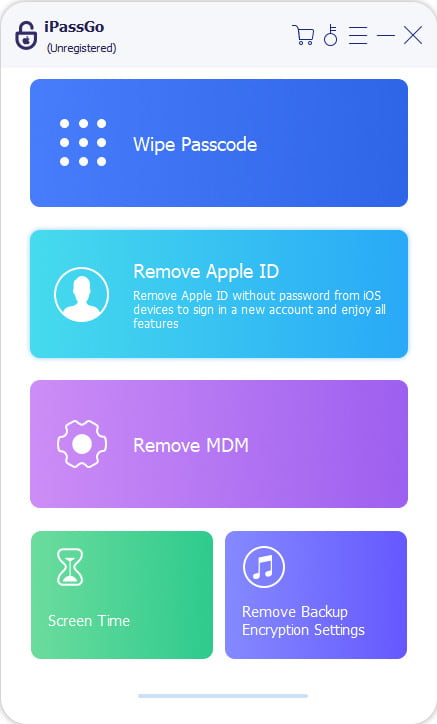
Even though Apple offers a system called iForgot for recovering Apple ID accounts, some users may have issues with slow responses, losing recovery keys, or not being able to access trusted devices. In these cases, imyPass iPassGo can be a reliable option. This tool helps users recover their Apple ID accounts by allowing them to delete the accounts without needing the original password. It works on different devices like iPhone, iPad, and iPod Touch, and can function even when two-factor authentication is turned on. For users who find the Apple iForgot system too slow and complicated, iPassGo serves as a dependable alternative.
Conclusion
The iforgot.apple.com website is your best and safest choice for getting back into your Apple ID. The site uses Apple's security measures and offers clear instructions along with device verification to keep your Apple ID secure. While imyPass might help with faster recovery in some situations, there is nothing better than Apple's official solution. If you understand the process and have your trusted devices and recovery contacts ready, you can unlock your account quickly and safely. This also helps prevent any future access issues.
Samuel specializes in password security and digital privacy. He used to work as a cybersecurity consultant for small businesses to protect digital assets. With certifications in Cybersecurity and Ethical Hacking, he turns complex security topics into easy-to-follow advice. He also enjoys sharing password tips to help users protect their accounts more confidently.
Hot Solutions
-
Unlock iOS
-
iOS Tips
-
Unlock Android
-
Password Tips


