



 Solution
 Support Center
 About Us
 Contact
What Is MDMPatcher Universal and How to Use the Software
 Samuel Spenser Published on August 13, 2026Unlock iOS3-min reading
To enhance IT security, more and more organizations have deployed Mobile Device Management solutions to manage, control, and monitor the mobile devices of colleagues. If your iPhone or iPad is enrolled in MDM, you will lose full control of your device. Without the admin password, you have to use a professional tool, such as MDMPatcher Universal, to get rid of MDM profiles. This article introduces and reviews the software.

In this article:
Part 1: What Is MDMPatcher Universal
MDMPatcher Universal is a popular tool designed to bypass MDM solutions on iPhones and iPad devices. Since it is an open-source project, everyone can use the tool without paying a penny. Furthermore, it won't jailbreak your device during the process.
Key Features of MDMPatcher Universal
- 1.Remove MDM profiles in a few steps.
- 2.Regain full control over your iOS device.
- 3.No jailbreak required.
- 4.Integrate an easy-to-use interface.
- 5.Bypass MDM with a Mac computer.
- 6.Support for a variety of MDM solutions.
Requirements of MDMPatcher Universal
- 1.It works for iPhone 13 and earlier.
- 2.Your iPhone must run iOS 15 and later.
- 3.It requires macOS 10.13 or higher, equipped with Intel or M1.
Benefits of MDMPatcher Universal
- 1.It won't ask you to jailbreak your iPhone or iPad when removing MDM.
- 2.It can bypass MDM restrictions effectively.
- 3.The process is quick and fast.
- 4.It is open source and free to use.
Downsides of MDMPatcher Universal
- 1.It is only available on macOS computers.
- 2.After factory resetting, you need to repeat MDM bypassing.
- 3.It doesn't work for the latest models of iPhone.
Part 2: How to Use MDMPatcher Universal
Go to www.ipsw.me in your web browser.
Download the IPSW file according to your device model.
Connect your iPhone to the computer with a USB cable.
Put your device in Recovery Mode:
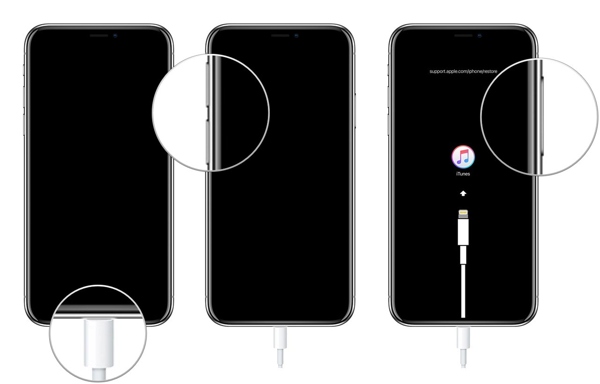
- Quickly press and release the Volume Up button.
- Do the same thing to the Volume Down button.
- Press and hold the Side button until it enters Recovery Mode.
Once your computer detects your device in Recovery Mode, hold the OPTION key on your keyboard, and click the Update or Restore button.
Open the IPSW file you just downloaded and hit Open.
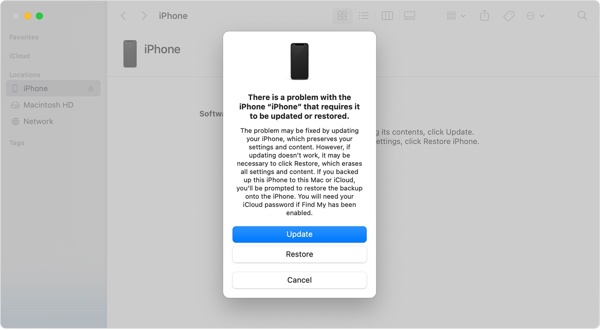
Click Update or Restore.
If the IPSW file is successfully installed, your device should reboot.
Follow the instructions to set up your iPhone.
Make sure to connect to a Wi-Fi network.
Download the MDMPatcher Universal dmg file from GitHub.
Next, open the application.
Run Finder, click your iPhone, and the screen should say Activating.
Once the screen says Get Started, check your device information on the MDMPatcher Universal app.
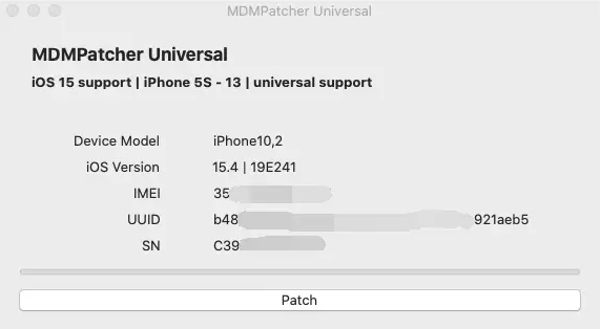
Click the PATCH button.
Wait for your iPhone to reboot, follow the setup instructions to complete the process.
Part 3: An Alternative to MDMPatcher Universal
Since MDMPatcher Universal is only available to specific iPhone models and iOS versions, you may need an alternative solution if it is unavailable for your device. imyPass iPassGo, for example, allows you to get rid of MDM profiles and get full control of your iOS device.

4,000,000+ Downloads
Remove MDM on your iPhone in 3 steps.
Don't require iPhone passcode or Apple ID password.
Protect your data during the process.
Offer bonus features, like Apple ID removal.
Compatible with a wide range of iPhone and iPad models.
How to Bypass MDM from Your iPhone Without Data Loss
Install the MDM bypass tool
Download and install the MDMPatcher Universal alternative for Windows and Mac on your computer. Then, launch it from your desktop. Choose the Bypass MDM mode to proceed.
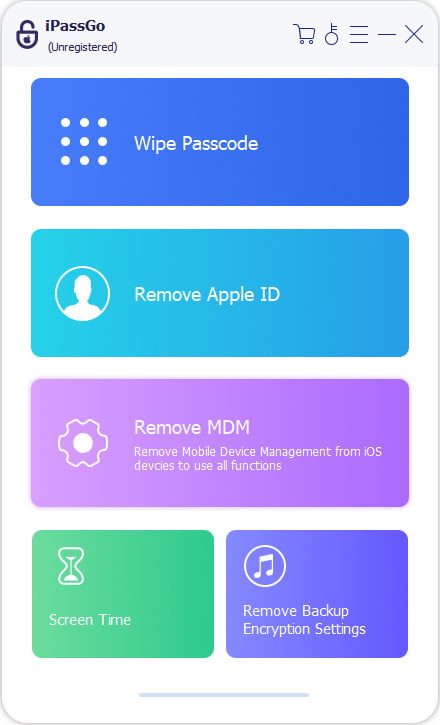
Connect to your iPhone
Plug your iPhone into your computer with a Lightning cable. If prompted, tap Trust on your screen to trust this computer. Then, the software will detect your device automatically. If your device isn't recognized, disconnect it and reconnect your iPhone.
Bypass MDM
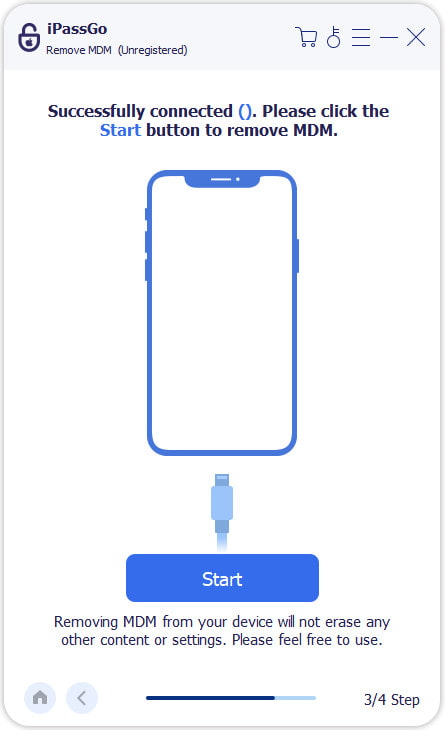
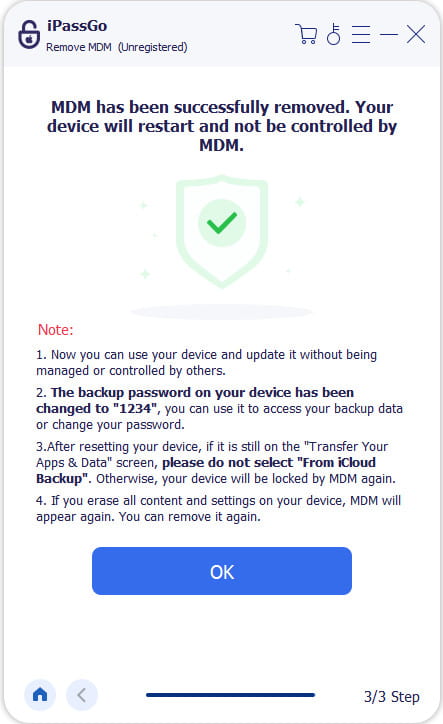
Finally, click on the Start button to begin removing the MDM profile from your iPhone. When it is done, disconnect your iPhone and close the software. Then, restart your device and check if MDM is removed successfully in the Settings app.
Conclusion
This article reviewed one of the professional MDM bypassing tools, MDMPatcher Universal. It can help you get rid of the MDM profile from your iPhone or iPad without the admin password or bypassing code. If your device is enrolled in an MDM solution, follow our steps to get full control again. If the tool is unavailable on your iPhone or iPad, try imyPass iPassGo as an alternative solution. It works on almost all iPhone and iPad models.
Samuel specializes in password security and digital privacy. He used to work as a cybersecurity consultant for small businesses to protect digital assets. With certifications in Cybersecurity and Ethical Hacking, he turns complex security topics into easy-to-follow advice. He also enjoys sharing password tips to help users protect their accounts more confidently.
Hot Solutions
-
Unlock iOS
-
iOS Tips
-
Unlock Android
-
Password Tips


