



 Solution
 Support Center
 About Us
 Contact
How to Fix a Disabled iPod: 4 Fixes to Unlock Your iPod Touch
 Penny Warren Published on August 20, 2026Unlock iOS3-min reading
You pick up your iPod Touch, ready to enjoy your favorite music, but find that it is locked with the message "iPod is disabled." This usually happens after too many incorrect passcode attempts or when you forget your password. When your iPod Touch is locked, you need the right method to restore access and use it again. In this guide, we'll show you the best ways to unlock a disabled iPod.

In this article:
Part 1. How to Unlock Disabled iPod with iTunes/Finder (Official)
Using iTunes or Finder is one of the official ways to fix a disabled iPod Touch. This method requires a Windows PC or Mac. Before starting, keep in mind that restoring your iPod will erase the passcode and all data on it. If you have an iCloud or computer backup, you can restore your data after the reset.
Connect your iPod Touch to your computer with a USB cable, then put it into recovery mode.
Use the correct button combination based on your iPod Touch model:
- For 7th generation: Press and hold the Top button and Volume Down button until the recovery mode screen appears.
- For 6th generation and earlier: Press and hold the Top button and Home button until you see the recovery mode screen.
Open iTunes on Windows PCs or macOS Mojave and earlier. If you are using macOS Catalina or later, open Finder instead.
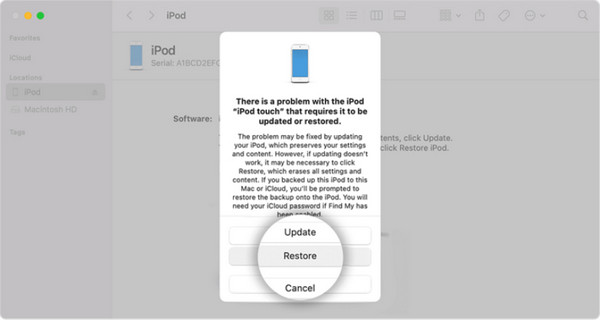
Select your iPod from the left bar, click Restore, and confirm it again. iTunes or Finder will download the required software and reset your iPod.
Part 2. How to Erase Disabled iPod Using iCloud Find My
If you had Find My iPod set up before your iPod was locked, you can erase it remotely using iCloud. It is helpful when you are unable to launch iTunes or Finder, or wish to reset the device without using a cable. By going to iCloud.com and logging in, you can conveniently find your device and wipe it using only your web browser.
Go to iCloud.com using any browser and log in with your ID and password.
Once signed in, click on the Find My feature and wait for the map to load. Then, open the All Devices dropdown and choose your disabled iPod from the list.
In the device details window, select Erase This Device to start removing all content and settings from your iPod.
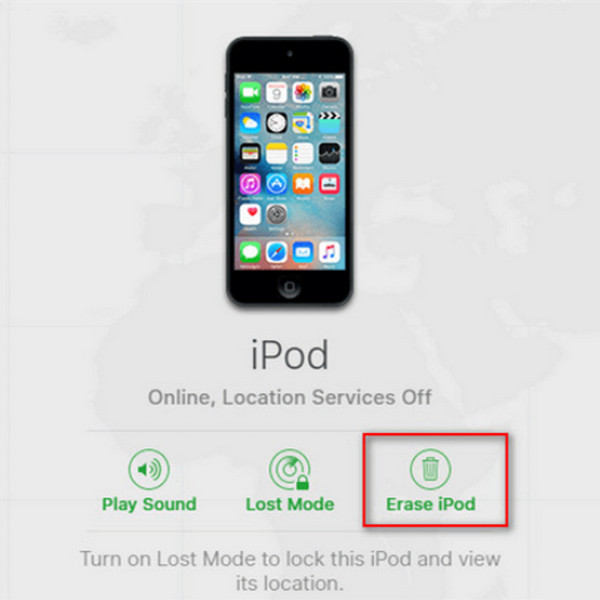
When initiated, type in your Apple ID password to verify your identity, then click Erase iPod again to confirm the action.
Part 3. Easiest Way to Unlock Disabled iPod without Passcode
The official methods above can help you restore a disabled iPod, but they may not be convenient for everyone. If you don't have access to iTunes/Finder, or Find My is not enabled, this professional unlock tool can provide you a straightforward way to unlock your iPod Touch. imyPass iPassGo help unlock iOS devices when you forget your passcode, enter the wrong password too many times, or see the "iPod is disabled" message on your screen.

4,000,000+ Downloads
Unlock a disabled iPod without passcode.
Unlock iPhone, iPad and iPod Touch effortlessly.
Easy to use and provide step-by-step tutorials.
Support iPod touch 7, 6, 5, and earlier generations.
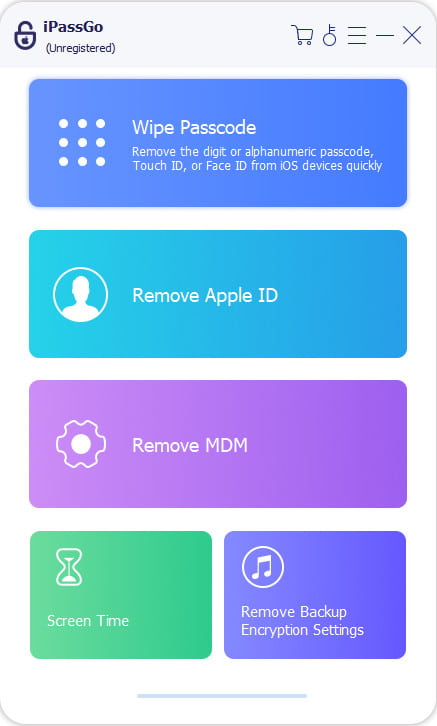
Launch the program on your computer. Select the Unlock iOS Screen mode from the interface. Connect your device to a computer using a USB cable, then click Start Now to continue.
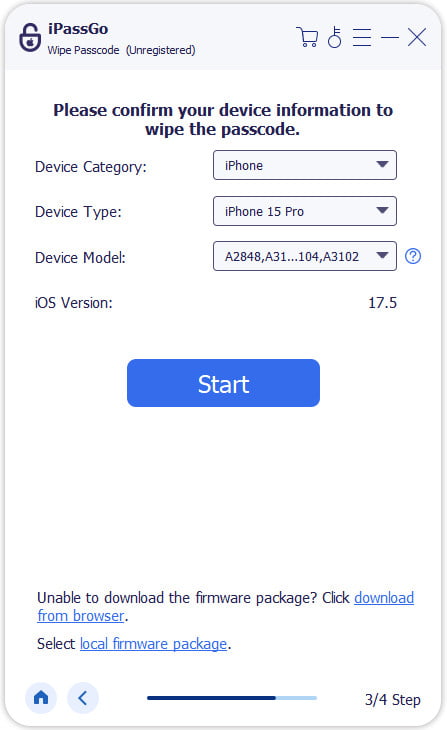
Confirm your device information and hit the Start Now button to download the firmware package. Wait for the download to complete and the firmware to be verified.
After verification, click the Start Removing button and confirm again. The software will automatically unlock your iPod, then you can set up your device again.

FAQs.
-
Why is my iPod disabled?
Your iPod Touch becomes disabled after too many incorrect passcode attempts. This security feature is designed to keep your personal information safe and prevent someone else from trying to unlock your device.
-
Can I unlock a disabled iPod without a computer?
Yes, you can unlock a disabled iPod without a computer by using Find My on iCloud.com. This method requires that Find My was enabled on your iPod and that you remember the Apple ID credentials.
-
Will unlocking a disabled iPod erase the data?
Yes. Restoring or erasing a disabled iPod removes the passcode and deletes all the data on the device. If you created a backup before the iPod was disabled, you can restore from an iCloud backup or other backups.
Conclusion
By following these methods, you can learn how to unlock a disabled iPod and use your device again. iTunes/Finder is the most common way to restore a disabled iPod, while iCloud allows you to erase your device remotely if you don't have a computer. imyPass iPassGo provides a simple alternative way when you forget your passcode and Apple Account credentials.
Penny focuses on GPS troubleshooting and Windows optimization. She formerly worked as a technical support engineer, helping clients solve location-based and system issues efficiently. Backed by IT support experience, she provides practical solutions that really work. In her free time, she likes hiking and geocaching, testing GPS tech in the real world.
Hot Solutions
-
Unlock iOS
-
iOS Tips
-
Unlock Android
-
Password Tips


