



 Solution
 Support Center
 About Us
 Contact
Unlock the Boost Mobile iPhone Quickly to Access Unlimited Carriers
 Penny Warren Published on May 17, 2024Unlock iOS3-min reading
Imagine your iPhone is locked into a single carrier that doesn't give you flexibility, especially if you are traveling internationally and are selling the phone for a better price. That is genuinely a head-scratcher to experience, which is why there are a few things to consider. Let us introduce the methods to unlock the Boost Mobile iPhone quickly and a bonus method to unlock the iPhone without a passcode.

In this article:
Part 1: Preconditions for Unlocking a Boost Mobile iPhone
Can a Boost Mobile iPhone be unlocked? Well, some preconditions need to be met before you can perform bypassing on the boost mobile iPhone. To explain it thoroughly, here is the information you need to know!
1.Active on Boost Mobile Network
This precondition ensures you've been a paying customer of Boost Mobile for a significant period. It discourages people from buying a phone to unlock it and switch to another carrier immediately. Boost Mobile benefits from having you as a customer for at least a year, as you'll likely pay for service plans and purchase additional products during that time.
2. Not Lost or Stolen
Unlocking a lost or stolen phone could pose significant security risks. If the phone falls into the wrong hands, it could be used for criminal activity or to access your personal information. By only unlocking devices with a clean record, Boost Mobile helps to protect its customers and the overall security of its network. Alternatively, you can bypass the iPhone passcode without an Apple ID if it is yours.
3. No Outstanding Balance
This condition ensures you've fulfilled your financial obligations to Boost Mobile. If you still need to pay your bills, it's reasonable for them to withhold the ability to unlock your phone until the debt is settled. Settling your account ensures a smooth transition and avoids potential complications with unlocking your device.
Remember that Boost Mobile might charge a fee to unlock your iPhone. This fee varies depending on the specific model of iPhone and the plan you were subscribed to. It's best to check with Boost Mobile directly to find out the exact cost of your situation.
Part 2: How Can You Unlock a Boost Mobile iPhone?
Can I unlock a Boost Mobile iPhone? CarrierSwitcher is a company that unlocks phones from carrier restrictions to use the phone with any carrier. With CarrierSwitcher, you can remotely unlock your device and switch to any carrier you choose, anytime, anywhere.
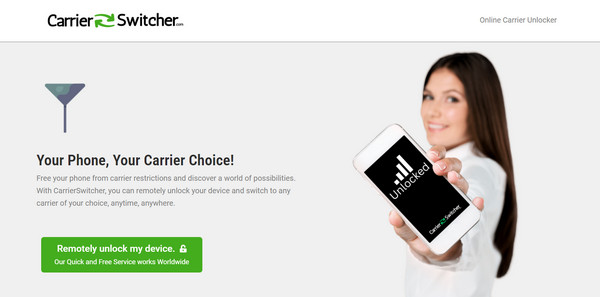
First, go to their official website by opening your favorite browser. Ensure that you have an internet connection when performing this task.
Click the Remotely Unlock My Device in the main interface, which opens the online carrier unlocker app.
Fill in the information it requests, such as name and email, then click Next. Select the manufacturer of your device and add the IMEI number. Then, tick the box to confirm their terms of service and click Confirm.
With that, you only needed to wait a few days until you received a confirmation email that the device was unlocked.
Bonus: The Best Way to Unlock the iPhone Without a Passcode
Indeed, there will be a time when your iPhone passcode will slip out of your memory, and accessing it might be impossible to do so when that happens. imyPass iPassGo is the master key to almost all the unlock problems you would highly encounter on an iPhone. This app guarantees the device will be free again when the process is done correctly. So, if you have forgotten your password, you can follow the steps we have added here.
You can tick the download button below to get the latest version of the imyPass iPassGo. Next is to launch the program and follow the succeeding steps here.
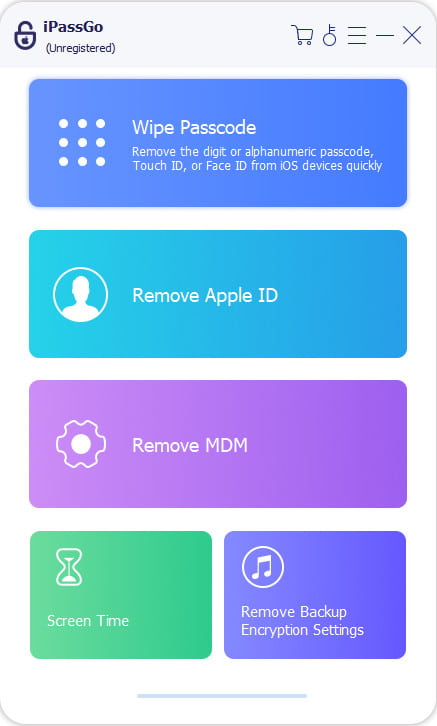
Connect your iPhone and launch imyPass iPassGo on your computer. Choose Wipe Passcode and ensure a stable internet connection.
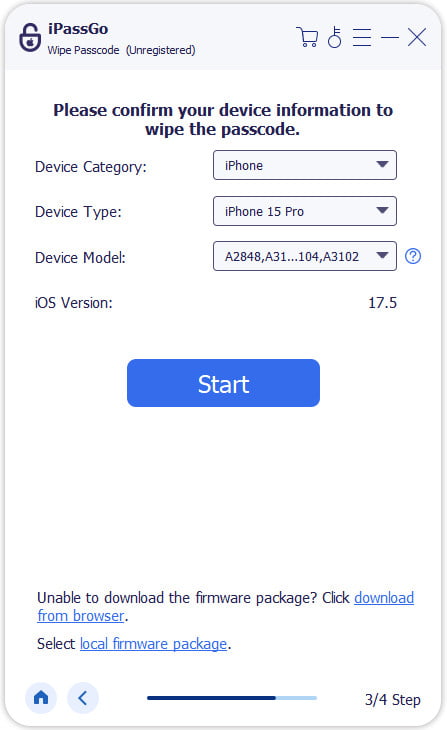
Verify your device information and click Start to download the required files.
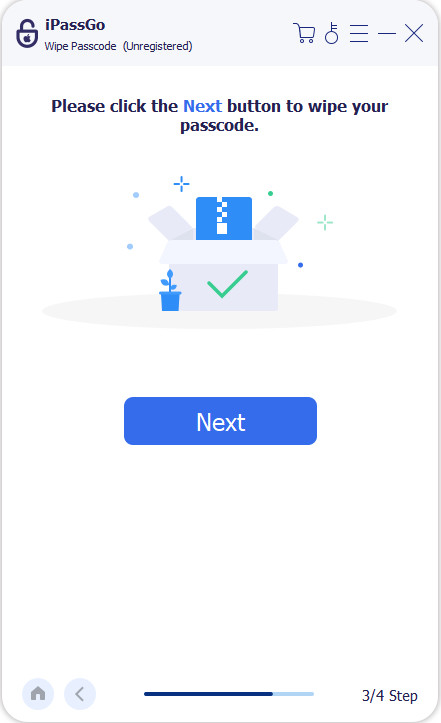
Once downloaded, click Unlock, but be aware this erases all data, so backup is essential! Confirm with 0000 to proceed.
FAQs.
-
How do I unlock my Boost Mobile iPhone?
You can unlock your iPhone by contacting Boost Mobile customer service. They will guide you through the process and confirm if you meet the eligibility requirements.
-
How long does it take to unlock a Boost Mobile iPhone?
The processing time for unlocking a Boost Mobile iPhone can vary depending on their workload. It typically takes a few business days, but checking with Boost Mobile for their current timeframe is best.
-
Can I unlock my Boost Mobile iPhone if I'm still under contract?
Generally, you can unlock your Boost Mobile iPhone even if you're still under contract, as long as you meet the other preconditions of 12 months of service, good standing, etc. However, an early termination fee might be associated with breaking your contract. It's advisable to contact Boost Mobile to confirm the details and any potential fees.
-
What happens if my Boost Mobile iPhone is flagged as lost or stolen?
Unfortunately, Boost Mobile cannot unlock iPhones that are flagged as lost or stolen. This is a security measure to prevent unauthorized use. If you believe your phone was flagged incorrectly, you'll need to contact the original owner or law enforcement to resolve the issue before unlocking becomes an option.
-
Can I use my unlocked Boost Mobile iPhone internationally?
Once your Boost Mobile iPhone is unlocked, you can use it with compatible GSM carriers worldwide. However, depending on their network and frequency bands, you should purchase a new SIM card from the local carrier. Be sure to check with the carrier you plan to use internationally to ensure compatibility.
Conclusion
Can I use an unlocked iPhone with Boost Mobile? The answer is yes! Once unlocked, your iPhone is no longer restricted to Boost Mobile's network. You can use it with any compatible GSM carrier, giving you more choices for service plans and paving money when traveling internationally. Throughout this guide, we've explored unlocking your Boost Mobile iPhone. You can gain greater flexibility with your device by meeting the preconditions and paying a fee.
Unlocking your iPhone is a permanent change, so make sure you're prepared to switch carriers before proceeding. By following the steps outlined and considering the FAQs, you can unlock your Boost Mobile iPhone and enjoy the freedom of using it with any compatible carrier.
Penny focuses on GPS troubleshooting and Windows optimization. She formerly worked as a technical support engineer, helping clients solve location-based and system issues efficiently. Backed by IT support experience, she provides practical solutions that really work. In her free time, she likes hiking and geocaching, testing GPS tech in the real world.
Hot Solutions
-
Unlock iOS
-
iOS Tips
-
Unlock Android
-
Password Tips


