



 Solution
 Support Center
 About Us
 Contact
Can You Really Bypass iCloud Activation with IMEI? 2026 Full Guide
 Samuel Spenser Published on July 02, 2026Unlock iOS3-min reading
Many online sources claim that you can bypass iCloud Activation Lock for free with IMEI number. However, IMEI alone cannot remove or bypass iCloud Activation Lock. In this guide, we will break these scams, explain how IMEI actually works, how to find it on your device, and practical solutions available if your iPhone or iPad is locked.

In this article:
Part 1: Can IMEI Number Unlock iCloud Activation Lock?
It is important to understand that iCloud Activation Lock is tied to the Apple ID, not the device's IMEI. IMEI alone cannot remove or bypass iCloud Activation Lock. The only legitimate methods to remove Activation Lock are entering the correct Apple ID credentials, asking the previous owner to remove the device from their account, or contacting Apple Support with valid proof of purchase.
What is IMEI?
The IMEI (International Mobile Equipment Identity) is a unique 15-digit number unique assigned to every mobile device. No two mobile phones have the same IMEI number. It is mainly used by mobile carriers and manufacturers to identify devices on cellular networks. It can also help to identify stolen phones and manage tracking lost phones.
Part 2: How to Find and Verify IMEI Number on iPhone/iPad
IMEI number is like an ID card of a device. You can use it to ask Apple to unlock an iCloud-locked iOS device. Let's see how to find the IMEI number on iPhone or iPad.
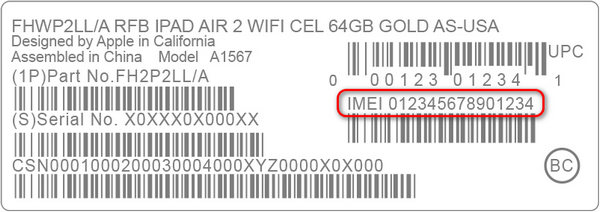
Method 1: Check the Apple Device Box
If you still have the box of your iPhone or iPad, you can find the IMEI number on it.
- 1.Locate the back of the box.
- 2.Find a white barcode sticker.
- 3.Check the IMEI number of your iOS device.
Method 2: iPhone Locked to Owner Screen
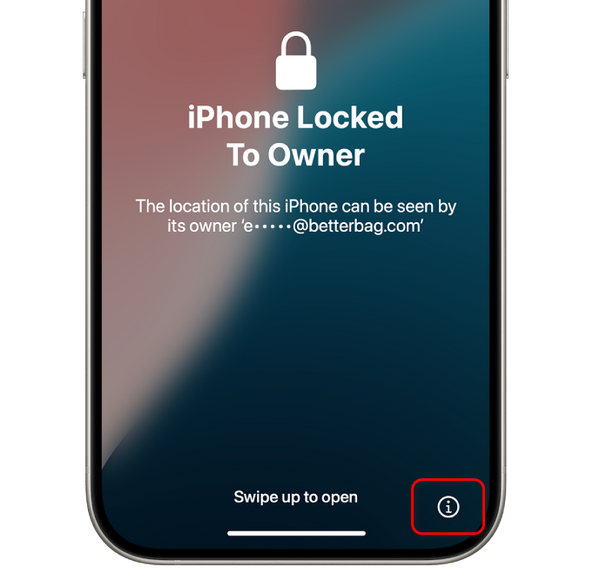
If your iPhone or iPad is iCloud-locked, you can still find the device's IMEI number.
On the iPhone Locked to Owner screen, tap the Information button at the bottom right. Then, it will show IMEI number, Serial number, and device model.
Method 3: Finder or iTunes
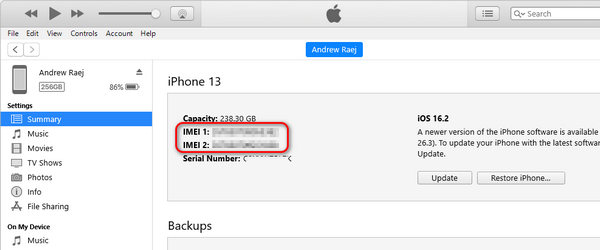
Connect your iPhone or iPad to your computer using a cable.
On macOS 10.15 or later, open Finder. On macOS Mojave or earlier, or on a Windows PC, open iTunes.
Select your device, then go to the General tab in Finder or the Summary tab in iTunes. Click the Phone Number to display the IMEI. For an iPad, click the Serial Number to view the IMEI.
You may note: For iOS devices that support two SIMs, there'll be two IMEI numbers.
Part 3: How to Bypass iCloud Activation with IMEI Number
iCloud Activation Lock is automatically turned on when Find My is enabled on the device. It becomes active when the device is reset without signing out of the Apple ID. Once triggered, the device cannot be set up again without entering the correct credentials. Next, we will look at the official methods you can use to remove Activation Lock.
Official Way to Remove iCloud Activation Lock on iPhone/iPad
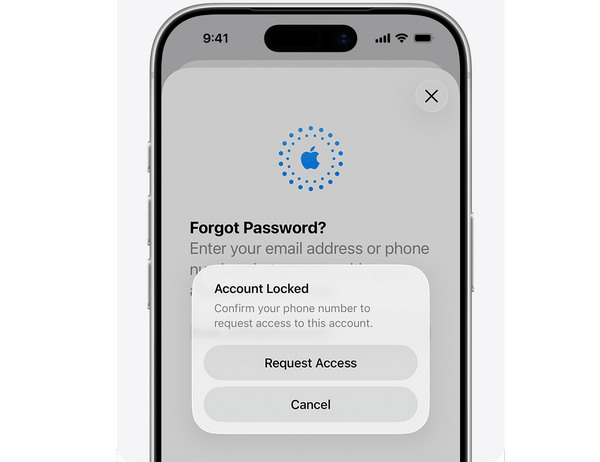
When you've forgotten the Apple ID password and the former owner (if your iOS device is secondhand) cannot help you remove the iCloud lock, the only option is to contact Apple Support, whether by a physical store, webpage, or phone call.
Necessary Preparation
Prepare IMEI number, Serial number, and the proof of purchase of your iCloud-locked device.
You may note: If your iPhone or iPad is second-hand, and you didn't get the proof of purchase, Apple Support won't help you.
Access Apple Support
Offline access: Go to a physical Apple Support near you
Webpage: iforgot.apple.com/unlock
Phone call: 1 (800) 275-2273 (for the US and Canada)
Unlock iCloud Lock with IMEI
Apple Support will verify your info and help you unlock iCloud Activation Lock. You'll need to reset the Apple ID password or switch to another Apple ID. That's the only way to remove iCloud activation lock with IMEI number.
Are IMEI Remote Unlock Websites Reliable?
Maybe you've seen some online services that claim to help you unlock or bypass iCloud Activation Lock with an IMEI number, such as UnlockMaker. However, they are all scams and cannot help you bypass iCloud lock at all. Apple has been increasing security techniques to avoid those unofficial and illegal unlock methods.
Therefore, always follow the official way to unlock iCloud activation with IMEI number for free. However, if you cannot find the proof of purchase of your iPhone or iPad, how can you regain access? You can check the next method to bypass iCloud activation lock.
Part 4: How to Bypass iCloud Activation Without Passcode or IMEI
imyPass iPassGo is a user-friendly iOS unlock tool designed to assist individuals experiencing iCloud activation lock issues on their iPhone or iPad. If you are locked out of the iCloud Activation and cannot access the functionality of your iOS device, it offers a simplified solution. Follow the steps below to quickly remove the Activation Lock and regain access to its full features.

4,000,000+ Downloads
Bypass iCloud Activation Lock without password.
Get rid of Apple ID from disabled, locked or second-hand iPhone.
Remove screen locks on iPhone, iPad and iPod Touch.
Disable Screen Time passwords without erasing data.
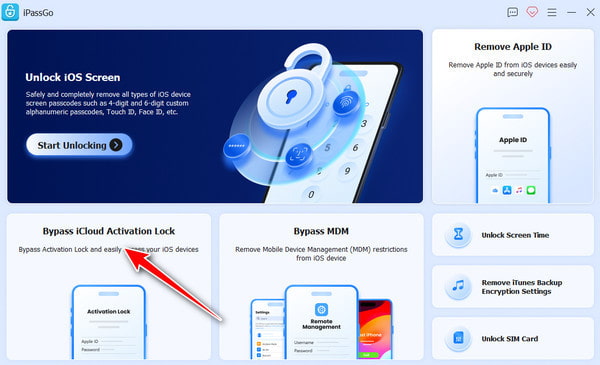
Launch the software and choose Bypass iCloud Activation Lock from the main interface.
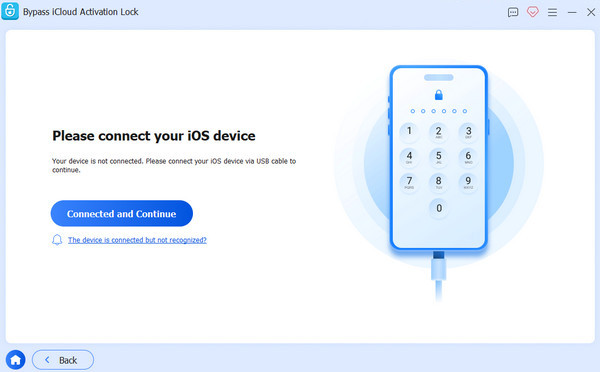
Connect your iOS device to your computer using a USB cable. Tap Trust on your iOS device when prompted.
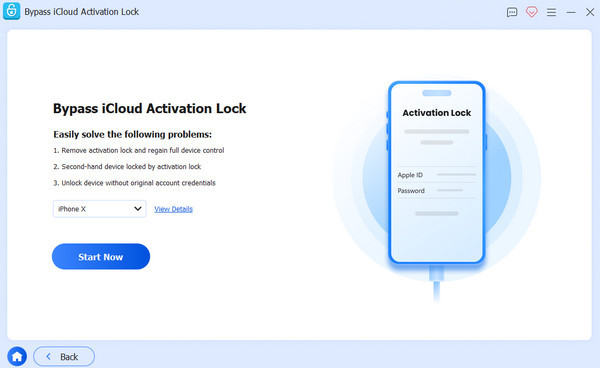
Read the warning carefully, then click Start Now to begin the iCloud Activation Lock bypass.
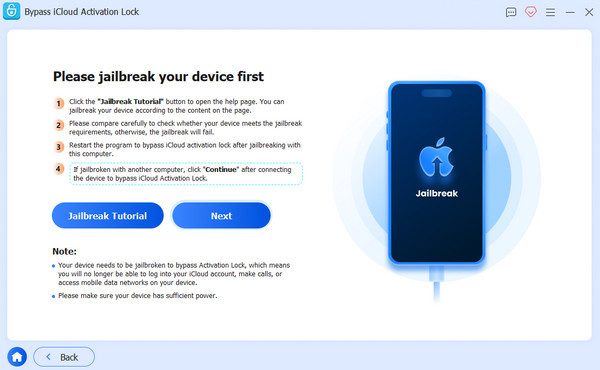
Follow the on-screen tutorial to jailbreak your iPhone.
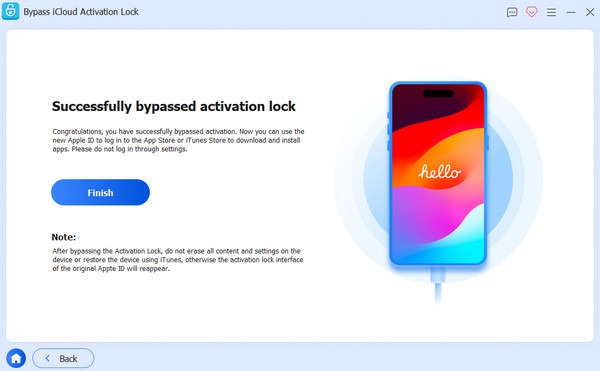
Verify your device information, then click Start Bypassing Activation. Wait patiently for the process to complete.
FAQs.
-
How do I find my Apple ID and password from IMEI?
You can't. The IMEI number is just for identifying your device, not for your Apple ID or password. If you have forgotten your Apple ID password, use the account recovery options on Apple's website or contact Apple Support.
-
Can you log into iCloud with the IMEI number?
No, you can't. iCloud needs your Apple ID and password, not the IMEI number. Use your Apple ID and password to access iCloud services.
-
Can I find my iPhone with the IMEI number?
Yes, but it could be more straightforward. You need help from your mobile service provider or the police. They might be able to track your iPhone using its IMEI number if it's lost or stolen. Also, Apple's Find My iPhone feature can help if it's enabled on your device and connected to the internet. But you must enter the IMEI number into iCloud to locate your iPhone directly.
-
Can bypassing iCloud Activation with IMEI void my device warranty?
Any unauthorized modifications or interventions with your device, like bypassing iCloud Activation with IMEI, may void your device's warranty. Apple's warranty terms typically do not cover damage or issues resulting from unauthorized modifications or tampering with the device's software or security features.
-
Are there risks associated with bypassing iCloud Activation using IMEI?
Yes, there are risks involved in bypassing iCloud Activation using IMEI. These risks may include data loss, device instability, security vulnerabilities, and potential legal consequences. It's crucial to proceed cautiously and understand the potential implications before attempting any bypass methods.
Conclusion
This article tells you how to unlock iCloud-locked iPhone with IMEI using the official method. It is important to be cautious of unauthorized free iCloud unlock services that promise instant remote unlocking. They are always not free and may pose security risks. Don't pay for them to waste your money and time.
Samuel specializes in password security and digital privacy. He used to work as a cybersecurity consultant for small businesses to protect digital assets. With certifications in Cybersecurity and Ethical Hacking, he turns complex security topics into easy-to-follow advice. He also enjoys sharing password tips to help users protect their accounts more confidently.
Hot Solutions
-
Unlock iOS
-
iOS Tips
-
Unlock Android
-
Password Tips


