



 Solution
 Support Center
 About Us
 Contact
Everything You Need to Know about SimpleMDM Application
 Samuel Spenser Published on September 21, 2026Unlock iOS3-min reading
An MDM, or Mobile Device Management, is a security solution that enables organizations to monitor, configure, and secure mobile devices remotely. In any digital environment, an MDM solution is essential to ensure security, compliance, and operational efficiency while letting employees use mobile devices productively. SimpleMDM, for example, is a cloud-based MDM solution for IT administrators to manage Apple devices. This article will share an unbiased review of the MDM solution.

In this article:
Part 1: Honest Review of SimpleMDM
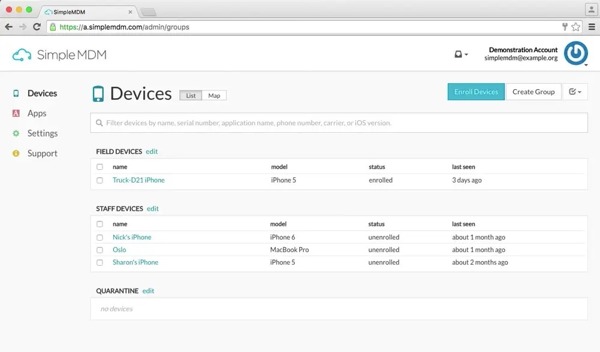
What is SimpleMDM? It is a powerful MDM solution, designed to help IT teams manage MacBooks, iPhones, iPad devices, and Apple TVs from a single admin interface. It is able to keep Apple devices enrolled, configured, and up to date.
Core Features of SimpleMDM
- Enroll the entire fleet of Apple devices through automated enrollment.
- Distribute devices directly to employees with zero-touch deployment.
- Create personalized setup experiences.
- Assign custom configuration profiles and commands to Apple devices.
- Set specific policies according to the organization’s needs.
- Automatically deploy operating system updates.
- Push apps and installer packages to Apple devices.
- Keep users’ data safe.
- Streamline the daily management of devices in a systematic way.
- Work for all Apple devices, including MacBook, iPhone, iPad, and Apple TV.
Honest Review of SimpleMDM
Pros
- Seamless deployment and management on Apple devices.
- Enhance security and compliance monitoring.
- Reduce IT work and increase efficiency.
- Simplify Mac management for developers.
- Control for IT teams.
Cons
- No free version.
- Lack key features, like patch management and compliance management.
- The location track feature doesn't work sometimes.
SimpleMDM Prices
SimpleMDM is not free. The standard plan starts at $2.5 per device per month. The cost is $3.00 per device per month, billed annually. The developer also provides flexible pricing and billing options for the enterprise edition.
Part 2: How to Use SimpleMDM
Create an Apple ID for managing Apple devices with SimpleMDM.
Next, sign up for an account and log in to SimpleMDM on https://simplemdm.com.
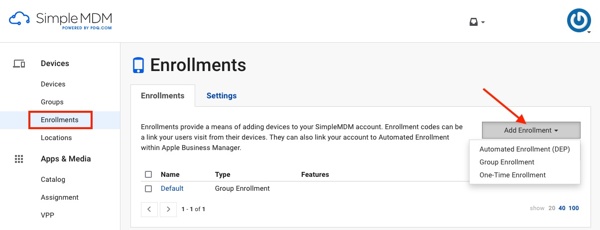
Go to the Enrollments tab on the sidebar.
Choose a way to enroll devices, like the enrollment link URL, User Enrollment, or Account-driven enrollment, and more.
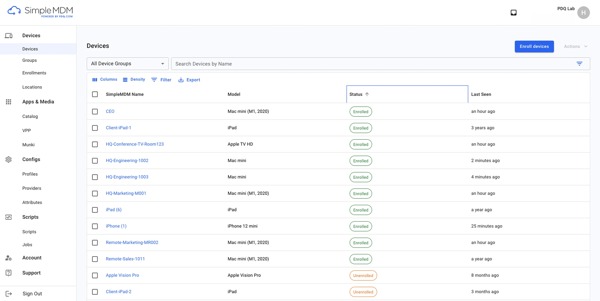
Follow the onscreen instructions to enroll Apple devices.
Part 3: Top 3 SimpleMDM Alternatives
Top 1: JAMF Pro
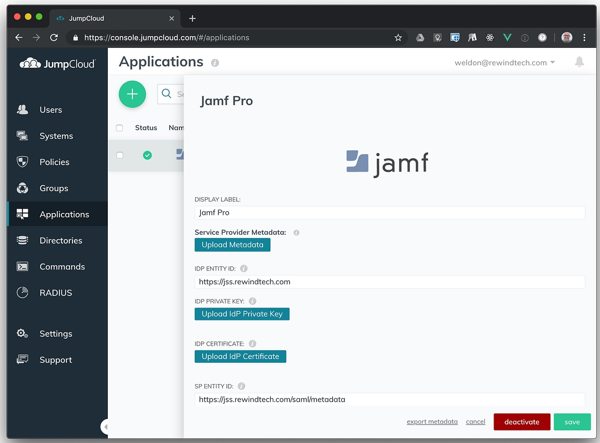
SimpleMDM and Jamf Pro are both feature-rich MDM solutions. Jamf Pro is another Apple device management solution designed to streamline the mobile device management process remotely.
Pros
- Manage Apple devices seamlessly.
- Update OS and apps remotely.
- Empower end-users with the necessary settings.
- Automate device enrollment.
Cons
- Patch management requires more automation.
- Need better integration with non-Apple devices.
Top 2: IBM MaaS360
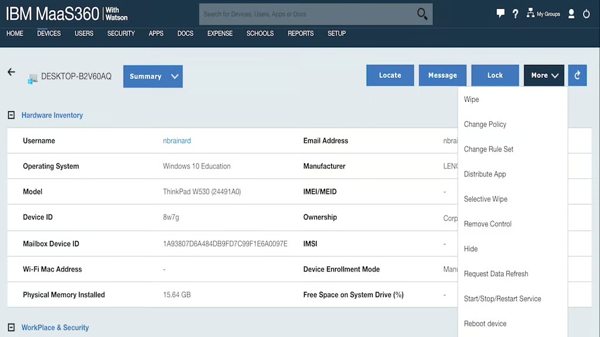
IBM MaaS360 is a professional SimpleMDM alternative, providing an intuitive cloud-based MDM solution with AI-driven insights and advanced features. The prices start from $4.00 per device per month.
Pros
- Offer strong security capabilities.
- Include solid compliance management tools.
- Manage devices and apps easily.
- Provide excellent customer service.
Cons
- The interface may feel overwhelming.
- Sync issues between devices.
Top 3: Iru
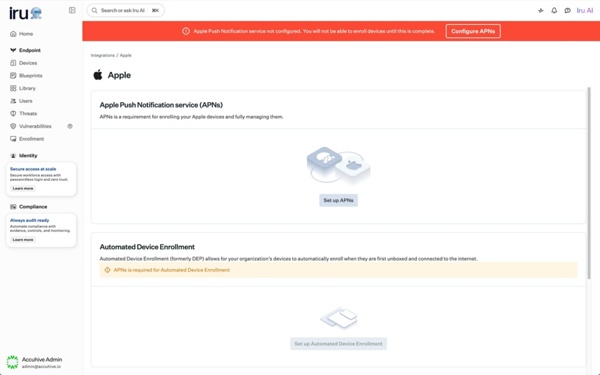
If you are looking for a SimpleMDM alternative, Iru is a good option. This Apple-first MDM solution has expanded into Windows and Android now. It offers flexible prices that start from $3.20 per device per month.
Pros
- One-click compliance templates.
- Maintain devices and organizational security.
- Equip with a user-friendly interface.
- Build in EDR.
Cons
- Lack hyper-granularity.
- Managing Windows requires a separate tool.
You May Also Like:
Part 4: How to Bypass SimpleMDM on iPhone or iPad
Once your iPhone or iPad is enrolled in SimpleMDM or an alternative, you will lose full control of your device. Fortunately, imyPass iPassGo can help you get rid of any MDM without the permission or IT administrator password.

4,000,000+ Downloads
Bypass SimpleMDM on an iPhone or iPad quickly.
Don't require a password during the process.
Keep your data safe when bypassing MDM.
Support the latest models of iPhone and iPad.
How to Bypass SimpleMDM from Your iPhone Without a Password
Install iPhone Unlocker
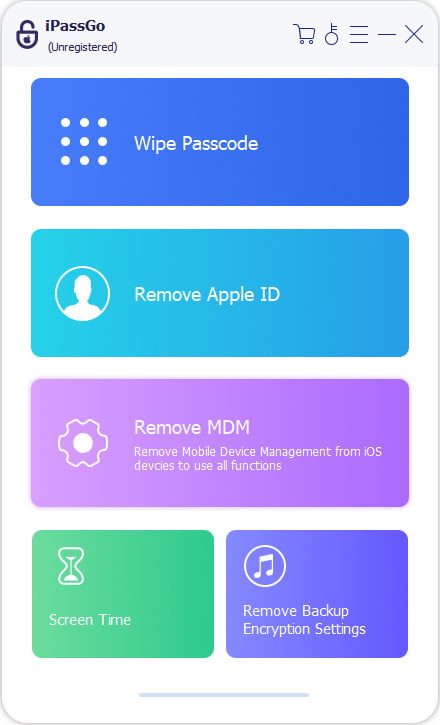
Launch the iPhone unlocking software after installing it on your PC. There is another version for Mac. Choose the Bypass MDM mode to continue.
Connect to your iPhone
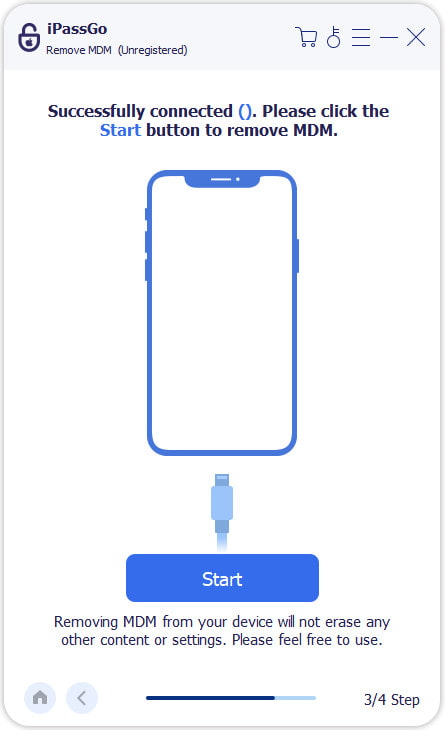
Link your iPhone to your PC using a Lightning cable. When prompted, make sure to trust this PC. The software will recognize your device automatically.
Bypass SimpleMDM from iPhone
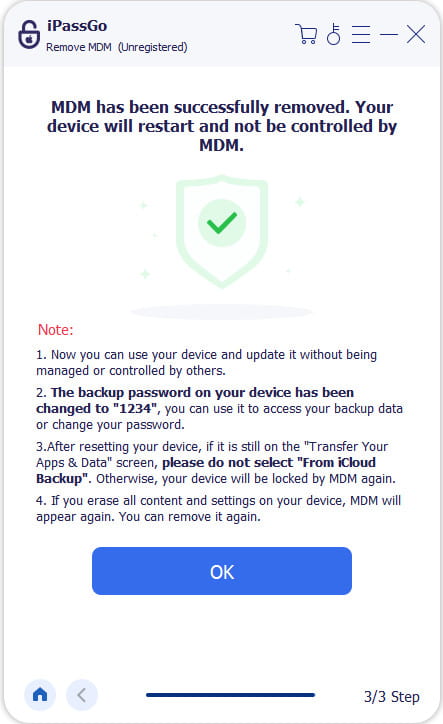
Next, click the Start Now button to begin removing SimpleMDM from your device immediately. Ensure your iPhone is connected during the process.
Conclusion
Now, you should understand what SimpleMDM is and other knowledge you should know, like the benefits and shortcomings, as well as prices. Moreover, you can learn the best alternative solutions for Apple devices. imyPass iPassGo can help you get rid of MDM from your iPhone or iPad quickly.
Samuel specializes in password security and digital privacy. He used to work as a cybersecurity consultant for small businesses to protect digital assets. With certifications in Cybersecurity and Ethical Hacking, he turns complex security topics into easy-to-follow advice. He also enjoys sharing password tips to help users protect their accounts more confidently.
Hot Solutions
-
Unlock iOS
-
iOS Tips
-
Unlock Android
-
Password Tips


